Booking engine video widgets: integration traps to avoid
A video can make a hotel room easier to understand, but the player itself can also become the heaviest and least predictable element on the booking page.
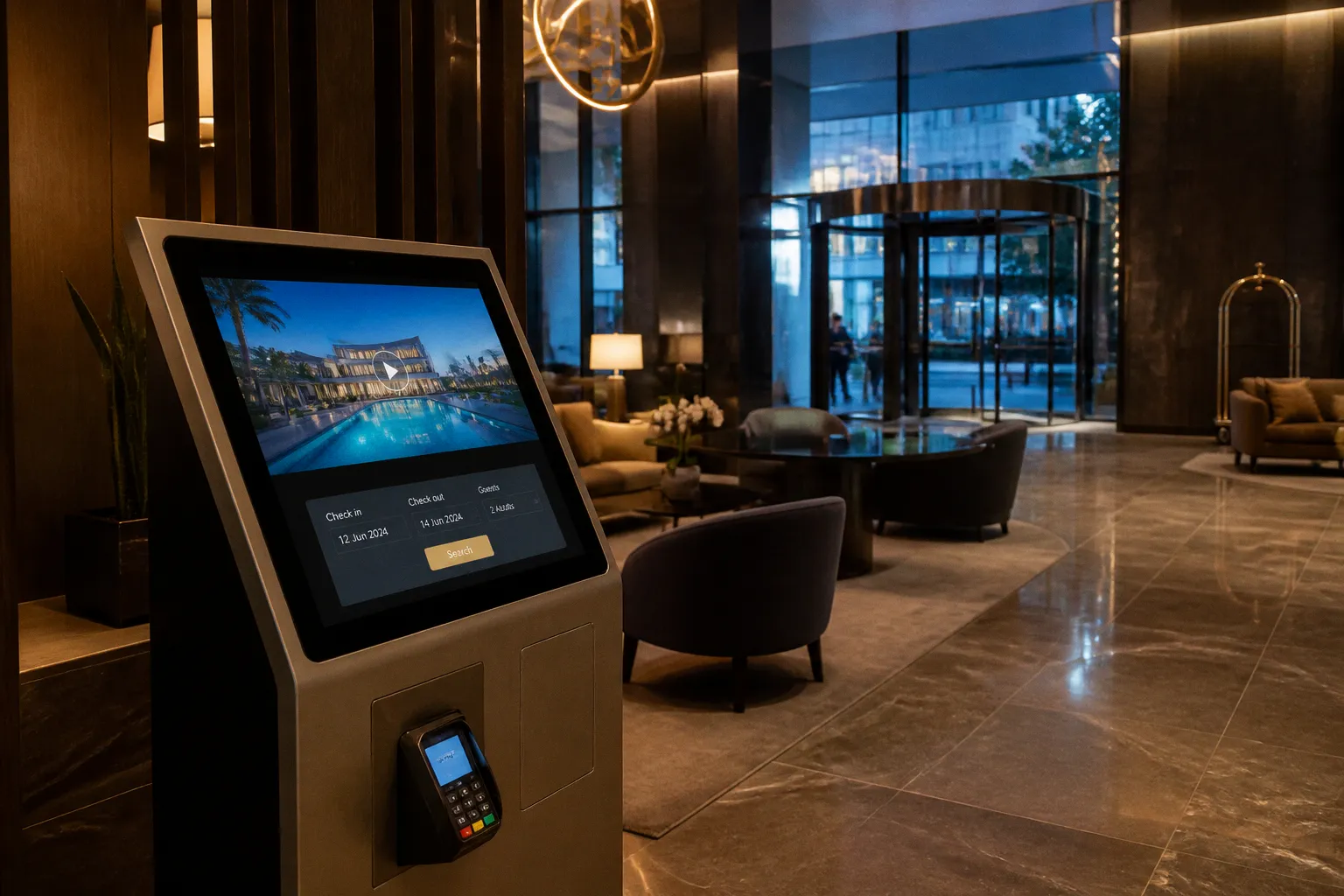
That distinction matters. A guest does not experience “video content” as an isolated marketing asset. They experience a page that either reveals the room quickly or makes them wait while scripts, player controls, tracking libraries and third-party requests compete with the rate calendar. The difference is often determined before the guest presses play.
The same video can perform well on a campaign landing page and perform badly inside a booking engine. A landing page can tolerate a dramatic hero section that takes over the first screen. A booking surface has a different job: show the relevant room, expose the price and dates, and keep the path to payment stable. Video has to fit around that sequence rather than interrupt it.
Video is not the variable. Integration method, payload weight and render behaviour are the variables. Treat the widget like a load-bearing part of the booking page, not a decoration.
The most expensive mistakes are rarely visible in a design review. They appear as a late layout jump, a blocked tap on mobile, a muted player with no captions, or a CTA that sends the guest through a second page before the booking form. This is where the choice between API, JavaScript widget and iFrame becomes a commercial decision, not merely a technical one.
The performance cost of heavy video embeds
The headline file size of a video is only one part of the cost. A third-party player may also load a runtime, interface controls, advertising or recommendation logic, tracking scripts, thumbnail requests, font files and additional connections to its own domains. A player that looks like a single rectangle in the page source can represent a small application running inside the booking experience.
That is why a hotel website video player comparison should look beyond the MP4 or stream size. The useful questions are:
- How much JavaScript arrives before the guest interacts with the player?
- How many network connections are opened on the initial page load?
- Does the provider inject the player immediately or wait for consent, visibility or user intent?
- Can the player be prevented from becoming the largest contentful element?
- Does the integration reserve its space before the external script runs?
- Can video events be passed to the booking engine and analytics system without adding another tracking layer?
A conventional YouTube iFrame is a good example of the problem. The video file itself is not necessarily downloaded in full at the first visit, but the embedded player still brings a substantial amount of supporting code and third-party activity. The exact payload varies with browser, player version, consent state and configuration, so a fixed number quoted in a sales deck is not a reliable performance budget. The only meaningful number is the one measured on the hotel’s actual booking template, under a throttled mobile connection.
A static poster is different. It can be compressed, served from the hotel’s own image pipeline and sized to the exact slot on the page. It gives the browser something predictable to paint while the interactive player waits. For many booking pages, the poster should be the first visual commitment and the video should become interactive only after the guest signals interest.
Why the booking engine is less forgiving
A booking engine is already carrying work that a brand homepage may not have:
- date-picker logic and availability requests;
- room, occupancy and rate-plan data;
- price calculations;
- promotional-code fields;
- consent and analytics scripts;
- payment or identity integrations;
- responsive behaviour for a dense form on small screens.
A video widget added to this environment does not get a clean performance budget. It competes with the booking flow for the main thread, network bandwidth and visual priority.
This affects more than the initial load time. A player that parses a large JavaScript bundle can delay the browser’s response to a tap on “Check availability”. A third-party request that finishes late can alter the height of the room card. A tracking script can fire at the same time as the rate calendar begins rendering. In each case, the guest experiences the result as hesitation or instability, not as a problem with the video vendor.
Core Web Vitals are useful here, but they should not be treated as a single pass-or-fail score. Largest Contentful Paint shows how quickly the main content becomes visible. Interaction to Next Paint is a better indicator than the retired First Input Delay for whether the page responds promptly to interaction. Cumulative Layout Shift reveals whether elements move unexpectedly during the visit. A page can have an acceptable LCP and still feel broken if the booking button jumps just as the guest tries to tap it.
The timing of the player matters as much as its weight. A modest widget injected at the wrong moment can cause more damage than a larger asset loaded after the guest has entered the room-detail section. That is why “the video is only a few hundred kilobytes” is not a sufficient answer. The integration needs a loading strategy.
The right loading sequence
For most hotel booking pages, the safest sequence is:
1. Paint a responsive poster with a reserved aspect ratio.
2. Keep the interactive player out of the critical path.
3. Load the player when it approaches the viewport or after a clear user action.
4. Start playback only when browser policy and user intent allow it.
5. Keep the room title, price, availability controls and booking CTA in a stable layout.
6. Track whether the guest watched, skipped or used the video CTA.
This does not mean every video should be lazy-loaded. A short, silent room preview may be the most useful element in the first viewport. But even then, the hotel should load a lightweight preview rather than an entire third-party player with features the guest will never use.
Navigating API, widget and iFrame integration methods
The three common booking engine video integration options are not interchangeable. They place control in different parts of the stack and create different responsibilities for the hotel team.
| Integration method | Where it runs | Main advantage | Main risk | Best fit |
|---|---|---|---|---|
| API or native player integration | Inside the hotel page and its DOM | Maximum control over layout, events and booking handoff | Requires development and ongoing maintenance | Hotel groups with a capable product or engineering team |
| JavaScript widget | In the parent page through a vendor script | Faster deployment with some configuration | Unclear loading order, limited styling and vendor dependency | Teams that need a managed implementation without building a player |
| iFrame embed | In a separate document | Simple to place and easy to recognise | Weak control over performance, layout, analytics and handoff | Temporary campaigns or content where conversion is not the primary goal |
The table is not a ranking in isolation. A well-built widget can outperform a poorly maintained API integration, and an iFrame can be acceptable when it is kept below the fold and activated on demand. The point is to understand what the hotel can and cannot control after the integration goes live.
API-based integration: control at the cost of ownership
An API integration places the player closer to the booking page’s own structure. The hotel can decide when the player is initialised, which controls appear, how the poster behaves and what happens when the guest selects a room. It can also connect player events to the same analytics model used for search, room selection and checkout.
That makes the API approach attractive for direct booking video integration. A room walkthrough can be associated with a specific room type, and the CTA can preserve the selected dates, occupancy and rate context rather than sending the guest back to a generic booking screen. The video does not have to be a separate destination. It can become part of the decision already taking place on the page.
The cost is not only the initial development ticket. Someone must maintain the integration when the booking engine changes its DOM, when the provider changes its event schema, when browser policies shift or when a consent platform changes how third-party media is activated. A custom player also creates accessibility obligations: keyboard navigation, captions, focus states, visible controls, reduced-motion behaviour and meaningful labels cannot be delegated to a mock-up.
For a multi-property group, that ownership may be justified because the same component can be reused across brands and booking templates. For a small independent hotel, building a bespoke player for one booking page may create more operational risk than it removes.
JavaScript widgets: convenient until the page becomes unpredictable
A JavaScript widget is often the practical middle option. The hotel adds a vendor script, defines a container and configures colours, dimensions, content and CTA behaviour in a dashboard or a small integration layer. This is attractive when the marketing team needs to publish video without waiting for a full product release.
The trap is that “asynchronous” does not automatically mean “performance-friendly”. A script can load asynchronously and still inject a large player at the exact moment the browser is laying out the room cards. If the container has no height before the script resolves, the page expands after the first paint. The guest sees the rate calendar move, the room title shift or the booking button slide below their thumb.
The container must have a predictable shape before the widget starts. A responsive aspect ratio is usually safer than a hardcoded height because hotel booking pages can move between wide desktop cards and narrow mobile layouts. If the vendor supports multiple formats, the reserved space must match the format that will actually be served. Reserving a short rectangle and then inserting a tall vertical player is simply a delayed layout shift.
A widget should also be tested in the states that are easy to ignore:
- first visit with no cached scripts;
- returning visit with a warm cache;
- consent not yet granted;
- slow connection and low-power mobile hardware;
- a language with longer room names;
- a booking engine error or unavailable rate;
- a guest who rotates the device while the player is open.
If the widget only looks stable in the vendor’s demo page, that is not evidence that it will be stable inside the hotel’s booking flow.
iFrames: isolation is also a limitation
An iFrame creates a boundary between the player and the booking page. That boundary can be useful: the embedded application is isolated, and the hotel does not need to maintain its internal interface. It can also be the source of nearly every integration problem that matters for conversion.
The parent page has limited control over what happens inside the frame. Styling is restricted. Player events may not be available without a separate messaging layer. Consent behaviour can become inconsistent. The hotel may be unable to coordinate the player with a room card, a rate selection or a “book this room” action. If the iFrame changes its height after loading, the parent page may not know the final dimensions in time to prevent movement.
There is also a practical analytics problem. A guest may watch a video, click a button inside the frame and arrive at the booking form, but the hotel’s analytics platform may record only a pageview or an outbound click. The video engagement is then disconnected from the revenue event. Hospitality video commerce software is useful only when the commerce part can be measured, not when the player merely reports play counts.
An iFrame can still be reasonable for an editorial property story, a virtual tour or a video placed well below the primary booking decision. It is a poor default for a player sitting beside the rate calendar, where every delay and layout change affects a transaction.
Solving cumulative layout shift and mobile abandonment
Cumulative Layout Shift is often described as a visual annoyance, but on a booking page it is a positioning problem. A guest sees a room, price and CTA in one location. The player finishes loading, the card grows, and the CTA moves. The guest either taps the wrong control or pauses to find the control again. On mobile, that pause is enough to break the decision.
The most reliable fix happens before the player is loaded. The page needs to reserve the final space using CSS and responsive media rules. JavaScript should not be responsible for discovering the dimensions after the first render. If the player’s final height depends on metadata fetched from the vendor, the hotel should reserve a conservative space or use a stable poster component until that metadata is available.
A few implementation decisions make a noticeable difference:
- Use the known aspect ratio of the actual creative, not a generic video ratio chosen by the CMS.
- Keep captions and controls within the reserved box so they do not expand the component.
- Avoid inserting a title, consent notice or CTA as a separate block after the player has painted.
- Do not place a player above a rate calendar unless its first visual state is as stable as the calendar itself.
- Test long property names and translated room descriptions before approving the layout.
- Keep sticky booking controls independent from a player that can change state or enter fullscreen mode.
Poster first, player second
A poster image is not merely a fallback for failed video. It is a performance tool and, often, the correct first state for a booking page.
The poster should communicate one decision-relevant idea: the room’s layout, the view, the bathroom, the terrace or the feature that distinguishes one room type from another. A generic drone shot may be beautiful but does little to resolve uncertainty at the moment of booking. The image should also remain legible when compressed and displayed in a narrow mobile card.
When the guest taps the poster, the hotel can initialise the full player. This user-initiated sequence avoids loading the most expensive assets for visitors who never intend to watch. It also creates a natural place for consent handling. If a third-party provider requires permission, the hotel can explain what will load instead of silently inserting a blocked or empty frame.
Autoplay can still be used for a short, muted preview when the player is already visible. The important point is that autoplay should not be the only way to understand the content. A poster, title and captions must carry the message when playback is blocked, delayed or disabled.
Mobile abandonment is not just a bandwidth issue
Mobile guests are affected by slow network conditions, but also by CPU pressure, touch targets and the amount of visual competition on the screen. A player that loads quickly but captures the first swipe can be more damaging than one that is slightly slower but stays out of the way.
A booking engine should not force a guest to watch a video before reaching the dates and price. Nor should a video CTA cover the room selector, open a new tab or reset the chosen dates. The component needs to behave like a supporting control in a form, not like an advertising takeover.
The useful test is not “does the video play?” It is “can a guest who ignores the video complete the booking without friction?” If the answer is no, the player has been given too much authority over the page.
Browser autoplay policies and sound-off UX
Autoplay rules are not a minor browser compatibility detail. They determine what the guest sees on the first visit and whether the hotel’s creative idea survives outside the design team’s test environment.
Muted autoplay is generally permitted more often than autoplay with sound, but permission still depends on browser, device, visibility and user settings. A player that assumes audio will start can fail silently: the visual area appears inactive, the content seems broken and the hotel receives no meaningful engagement. Sound should be treated as an enhancement, never as the mechanism that makes the video understandable.
A reliable default has four parts:
- a poster that explains the subject before playback;
- muted playback when autoplay is allowed;
- a visible, accessible sound control;
- captions or on-screen text that carry the essential message without audio.
Captions should not be an afterthought. Hotel videos often contain details that matter to the booking decision: whether a terrace is private, where the room faces, how the sofa bed is arranged or what is included in the rate. If those details disappear when sound is off, the hotel is using the least reliable channel to communicate them.
The player also needs a clear paused state. A loop that restarts without warning can be distracting, particularly when the guest is comparing several room types. If a video is intended as a preview, keep it short and let the guest open the full version deliberately. If the guest presses pause, do not immediately override that choice with an intersection-observer callback.
The player should not compete with the booking form
Custom controls often look polished but carry hidden cost. Each extra control adds interface logic, focus behaviour and testing work. A hotel rarely needs a streaming-platform interface inside a room card. It needs play or pause, mute or unmute, captions, and a clear route to the relevant booking action.
The CTA itself should be specific. “Book this room” is more useful than “Learn more” when the video is attached to a room type. The action should preserve the context the guest has already supplied. If the dates, occupancy or selected room disappear after the click, the video has created a new decision instead of helping complete the existing one.
Analytics should follow the same logic. Play rate is useful, but it is not a commercial outcome. The hotel should be able to distinguish between:
- a poster impression;
- a player initialisation;
- a meaningful viewing interval;
- a room-specific CTA click;
- a booking-engine entry;
- a completed reservation or assisted conversion.
Not every video needs an elaborate attribution model. It does need enough event consistency to show whether it reduces uncertainty or simply consumes attention.
Strategic partnerships and the future of interactive booking
The next stage of hotel video is unlikely to be a larger player placed above the booking button. It is more likely to be a smaller, more contextual component connected to inventory, room attributes and the booking state.
That model changes the role of video. A room walkthrough is no longer just brand content. It can answer a specific question at the point where a guest compares two room types. A short clip can show the balcony, the view or the sleeping arrangement associated with a particular inventory item. A CTA can carry the selected room and dates into the booking flow instead of sending the guest to a generic landing page.
This is where partnerships between video platforms and booking-engine providers become strategically interesting. A native integration can potentially solve problems that a standalone embed cannot: identity between the room card and the video, consistent event tracking, consent handling, responsive layout rules and a direct connection to availability data.
But “native” does not automatically mean fast. A partnership may reduce implementation friction while adding another layer of scripts, API calls or account dependencies. Hotels still need to ask how the integration behaves when the provider is slow, when inventory is unavailable, when consent is declined and when the booking engine changes its templates.
The strongest future integrations will be deliberately modest. They will load a stable poster first, request the interactive layer only when it has a reason to appear, and keep the booking action within the same stateful flow. They will expose meaningful performance and revenue events rather than just video views. They will also allow the hotel to remove or replace the player without rebuilding the room and rate architecture.
What to evaluate before committing to a platform
A vendor demonstration should be treated as the beginning of due diligence, not the proof of a conversion lift. Ask to see the component inside the actual booking engine and on the slowest device the hotel expects to support.
The evaluation should cover:
- the initial page payload with the player enabled and disabled;
- the time at which the player’s scripts execute;
- the layout before and after the player becomes interactive;
- behaviour when third-party media consent is refused;
- keyboard and screen-reader access to controls;
- captions, poster images and reduced-motion preferences;
- event delivery from play through booking completion;
- the fallback when the video host or API is unavailable;
- the process for changing, replacing or removing content;
- the commercial and technical consequences of leaving the platform.
A provider that cannot show a stable fallback is asking the booking page to depend on an external service without an escape route. That is a poor trade for a component positioned near payment intent.
The right comparison is therefore not simply a hotel website video player comparison based on appearance, available templates or the number of supported formats. Compare the full operating model: loading behaviour, layout ownership, event quality, accessibility, fallback handling and the amount of work required when something changes.
Booking lift is not delivered by video content alone. It is delivered by the render path, the load weight and the seam between the player and the checkout form. Optimise the seam first, then grade the video.
Making the integration earn its place
A video widget belongs on a booking page only when it helps a guest make a decision that the room name, photographs and rate information have not resolved. That usually means showing space, orientation, access, atmosphere or a feature that is difficult to communicate through a static gallery.
Once that purpose is clear, the technical choice becomes easier. Use an API or native integration when the hotel needs room-level context, direct booking actions and complete control over performance. Use a managed widget when speed of deployment matters and the vendor can demonstrate predictable layout and event behaviour. Use an iFrame only when its isolation is worth the loss of control and the video is not sitting directly on the most sensitive part of the transaction.
Before release, measure the page with the video disabled and enabled. Compare the poster state with the interactive state. Test a first-time mobile visit, not only a desktop session with cached assets. Watch the booking flow while the video loads, while consent is pending and when the player fails. Confirm that the guest can still select dates, compare rooms and reach checkout without the component moving the controls or resetting their choices.
The final test is commercial rather than technical: remove the video temporarily and compare the same room-selection path. If the player adds no meaningful interaction, assists no booking decision and makes the page slower or less stable, it has not earned its place. A quiet poster that loads quickly may be the better product. In a booking engine, restraint is often the most sophisticated integration choice.