Video layout mistakes that cost hotels direct bookings
Hotel websites convert at roughly 1.5% to 2.5%. A well-structured booking path can push performance above 3%. The difference is not decorative. It is revenue.
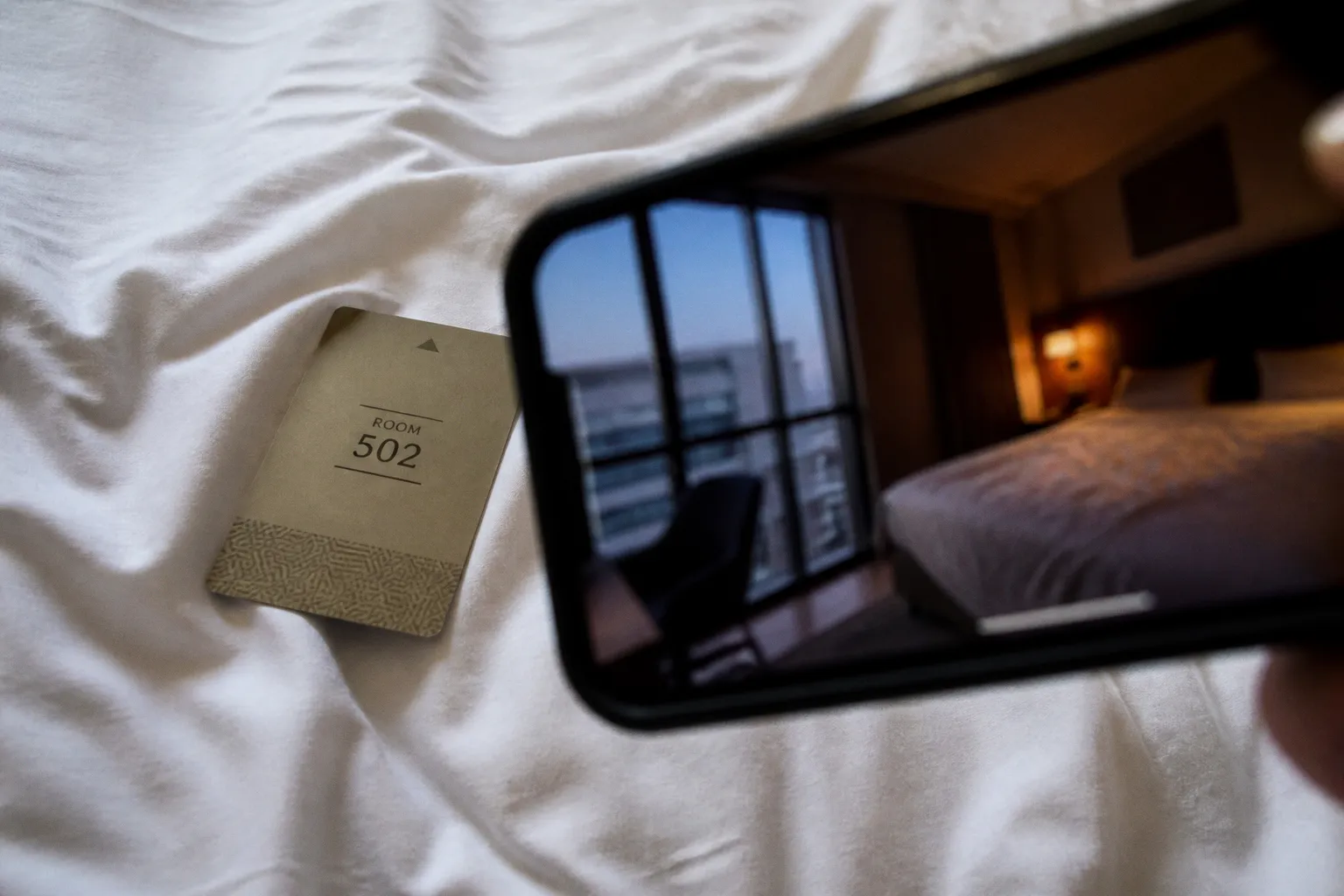
The problem is often visible in the first viewport. A hotel website video loads slowly, occupies the entire screen, hides the booking engine, or renders as a broken black rectangle on mobile. The property may look premium. The page still leaks direct bookings.
Guests do not owe the website patience. If the booking path introduces friction, they move to an OTA. The hotel then pays a 15% to 25% commission for a reservation it could have acquired through its own site at a typical direct acquisition cost of roughly 4.25% to 4.5%.
The asset is not the problem by itself. The layout is.
The hidden cost of poor video architecture
Video affects direct booking conversion through three separate systems:
- Performance: how quickly the first usable page state appears.
- Visibility: whether the booking CTA is present and obvious.
- Confidence: whether the media answers the guest’s practical questions before the reservation decision.
A common failure is treating video as a visual layer rather than a conversion component. The design team selects a cinematic clip. The developer places it in the hero section. The marketing team approves the result on a desktop monitor. Nobody measures the interaction between the video, the booking form and the mobile viewport.
That is how hotel website video layout mistakes become direct booking conversion leaks.
A background video can increase engagement when it establishes the property’s spatial logic quickly. It can show the relationship between the entrance, lobby, room, terrace and pool in a sequence of seconds. That is useful information. It reduces uncertainty.
But a video that delays the booking interface does the opposite. It makes the guest wait before they can act. Every second of delay is added friction. Every additional scroll is another opportunity to lose the session.
The correct audit begins with the booking path, not with the video file.
Measure:
- Time until the booking CTA is visible and interactive.
- Time until the hero image or video poster appears.
- Time until the booking engine accepts dates.
- Mobile position of the primary “Book Now” control.
- Bounce rate by device category and landing page.
- Conversion rate for pages with video versus comparable pages without it.
- Abandonment rate after the guest opens the booking engine.
- Percentage of sessions that reach the room or rate-selection stage.
Do not evaluate a video only by watch time. Hotel visitors are not necessarily trying to watch a film. They are trying to decide whether the property fits their trip and whether the price and dates are worth investigating.
A hotel video earns its position only if it improves the path to the booking engine. Otherwise, it is an expensive delay placed above the fold.
Performance versus aesthetics: why the hero video fails
The hero section is the highest-risk location for video. It receives maximum traffic and sits directly in front of the first conversion action. A poorly handled file can affect every session.
The failure pattern is predictable:
1. A high-resolution master file is exported without a web-specific compression pass.
2. The video is configured to autoplay in a loop.
3. Several formats or scripts load before the booking CTA becomes interactive.
4. The video has no poster fallback.
5. Mobile users receive the same composition and file treatment as desktop users.
6. The page becomes visually complete before it becomes operationally useful.
The correct benchmark is not “the page eventually loads.” The relevant threshold is whether the first interactive booking actions are available within roughly four to five seconds. OTAs have conditioned users to expect fast interaction. A hotel cannot create more friction and expect brand aesthetics to compensate for it.
Keep the loop short
Background hero loops should generally remain under 20 seconds. Longer sequences increase file weight and repeat exposure without necessarily adding information.
A useful loop has a clear visual sequence:
- Establish the property from a readable wide shot.
- Move to one spatial detail that proves quality or location.
- Show a transition between connected spaces.
- End on a stable frame that can tolerate looping.
Avoid sequences that depend on a precise narrative arc. The guest may enter halfway through the loop. The first frame must still communicate something.
Do not use a clip that requires audio. Autoplay with sound is a direct interruption and is unsuitable for a booking page. Background video should be muted by default, with controls only when sound adds decision-making value.
Use a poster image as a performance control
A poster image is not a backup for a failed design. It is part of the design.
It protects the page when:
- The connection is slow.
- The browser blocks autoplay.
- The user has reduced-motion settings enabled.
- The device is low-powered.
- The video request has not completed.
- The content delivery network returns an error.
- The page is loaded inside a constrained in-app browser.
The poster should be a properly composed architectural photograph, not an arbitrary frame from the video. It must preserve the same focal point, crop and CTA contrast. If the poster shifts the visual balance, the layout will appear to jump when the video starts.
This is where architectural photography affects conversion. A still image is not merely a fallback asset. It is the first usable representation of the property. It needs sufficient dynamic range to retain detail in windows, corridors and shadowed interiors. A blown-out sky or crushed room interior reduces the information available to the guest.
Compress for the viewport
The desktop master should not be delivered to every device.
At minimum, the implementation should distinguish between:
- Desktop landscape video.
- Mobile portrait or square-safe composition.
- Poster image.
- Reduced-motion or data-saving fallback.
- No-video fallback for constrained connections.
The crop must be intentional. A wide architectural frame often fails when centered into a narrow mobile viewport. The room disappears. The pool becomes a strip. The subject is cut off. The file may load successfully, but the content has failed.
The technical setup should also avoid loading video before the page has established its basic booking controls. Lazy loading can be appropriate when the hero is below the initial interaction zone. For an above-the-fold hero, the poster should render first and the video should be deferred until the primary page structure is stable.
Diagnose with a waterfall, not a subjective review
A page can look fast on a local office connection and perform badly for actual guests. Use browser performance tools and network waterfalls.
Inspect:
- Video request start time.
- File size.
- Time to first frame.
- Poster image request.
- Largest contentful paint.
- Main-thread blocking scripts.
- Booking engine iframe or widget load time.
- Layout shifts caused by late media rendering.
- Mobile throttled performance.
The question is not whether the hero video looks high-end. The question is whether it delays the moment when a guest can select dates.
Mobile-first layouts: preventing CTA burial
Mobile traffic commonly represents 60% to 80% of hotel website visits. Yet many hotel landing pages still use desktop-first video compositions.
The desktop version often has:
- A full-width video.
- A transparent navigation bar.
- A centered headline.
- A booking CTA positioned near the lower edge.
- A booking widget placed below the hero.
On a phone, that same layout can produce four problems:
1. The video fills the first viewport.
2. The headline occupies several lines.
3. The CTA falls below the fold.
4. The booking engine requires another scroll before any dates can be entered.
The guest sees the property. The guest cannot easily begin the transaction.
Treat the CTA as a fixed conversion object
The primary action should not be positioned according to the visual center of the video. It should be positioned according to the user’s next task.
On mobile, the “Book Now” control should remain visible without requiring the guest to interpret the page. It can sit in a high-contrast navigation bar, within a compact booking strip, or directly below the hero content. The exact component depends on the booking engine and brand system. The principle does not change: the action must survive the crop.
A useful mobile hierarchy is:
1. Property identifier.
2. One concise value statement.
3. Primary booking action.
4. Secondary action for rooms, location or amenities.
5. Video or supporting media.
This does not mean removing the video. It means refusing to give the video priority over the transaction.
Design for thumb reach and input continuity
Booking is a multi-step action. The user must select arrival, departure, occupancy and sometimes room type. If the first tap opens a modal that is difficult to operate one-handed, conversion suffers after the hero has already done its job.
Audit the complete mobile sequence:
- Tap “Book Now.”
- Open the date picker.
- Select arrival date.
- Select departure date.
- Set guests.
- Submit availability.
- Review rate or room options.
- Continue to payment or guest details.
The video layout is part of this sequence because it determines how the guest enters it. A CTA that is visible but moves after a late video render is not reliable. A CTA that opens a booking engine beneath a fixed video overlay is not reliable. A CTA that uses low-contrast text over changing frames is not reliable.
Use safe zones in the video composition
The most important subject should not occupy the same area as the CTA. This sounds obvious. It is regularly ignored.
Before delivery, define:
- Text-safe zone.
- CTA-safe zone.
- Logo-safe zone.
- Mobile crop zone.
- Desktop crop zone.
- Areas with predictable luminance.
A bright window behind white CTA text creates a contrast failure. A dark doorway behind black text creates the same failure in reverse. Dynamic range matters because the background changes over time. Test the CTA against the brightest and darkest frames, not only the approved thumbnail.
Strategic placement: immersive media without booking friction
There is no single correct location for hotel website video. The correct placement depends on the guest’s information need.
Hero video is useful when the property’s spatial experience is the primary differentiator. It is less useful when the guest needs immediate clarity about price, availability, location or room category.
The booking interface should therefore have a clear relationship with the media. It should not be hidden beneath a visual statement that consumes the entire first screen.
A practical comparison:
| Placement | Conversion strength | Main risk | Best use |
|---|---|---|---|
| Full-bleed hero background | High visual impact | CTA burial, slow load, weak mobile crop | Brand-led properties with strong spatial identity |
| Split hero with booking panel | Clear action path | Reduced image area, layout complexity | Hotels prioritizing direct booking |
| Video beside room or suite details | Supports a specific decision | Guest may miss the asset | Room-category pages |
| Inline video below booking form | Low friction at entry | Lower initial visibility | Explaining amenities or local access |
| Video in a modal | Keeps page compact | Extra tap and playback friction | Detailed tours or long-form property walkthroughs |
| Short muted clips in room cards | Fast comparison | Repetition and excessive requests | Room-selection pages with limited inventory |
The split hero is often the safer implementation for booking-focused pages. The video communicates the property. The booking panel remains visible. The design has a measurable division of labor.
A full-bleed hero can still work, but it requires stricter controls:
- The booking CTA must be visible in the first viewport.
- The poster must load before the video.
- The video must not block interaction.
- The mobile crop must be separately composed.
- The loop must remain under 20 seconds.
- The contrast ratio must remain stable across frames.
- The user must be able to enter the booking engine without scrolling through the media.
Match video placement to the decision stage
The guest’s question changes as they move through the site.
On the homepage:
- Is this property relevant?
- Does the location or design match the trip?
- Does it look credible enough to investigate?
On the room page:
- What does the room actually connect to?
- Is the layout functional?
- What is the difference between room categories?
Inside the booking engine:
- What is included?
- What are the cancellation conditions?
- Can I complete the reservation without leaving the flow?
Video should answer the question at that stage. A generic lobby montage has low utility beside a room-rate selector. A short room walkthrough can reduce uncertainty there, provided it loads without covering the rate and reserve controls.
This is the core of video commerce for hotels. Media must be attached to a transaction decision. The objective is not maximum exposure. It is reduced uncertainty at the point where uncertainty causes abandonment.
The best video placement is not the most visible one. It is the placement that removes a specific objection without creating a new interaction cost.
Beyond the hero: lightweight video assets that support conversion
A hotel website does not need one large film. It needs a controlled media system.
Use smaller assets where the guest benefits from movement or spatial context:
- A six- to ten-second room layout clip.
- A short balcony or view sequence.
- A compact bathroom or accessibility demonstration.
- A pool-to-room route.
- A location clip that clarifies distance to a major demand driver.
- A service demonstration where still photography creates ambiguity.
These clips should not compete with the booking engine. Their job is to clarify.
A room gallery, for example, can use video as one asset among several. The first image should still communicate the room category immediately. The video can then show circulation, door placement, balcony access or the relationship between bed and workspace. Those details are difficult to infer from a single wide-angle photograph.
Focal length is a technical variable here. An ultra-wide lens can make a small room appear larger while hiding proportions and circulation. The result may generate clicks but create disappointment after arrival. That is not a sustainable conversion strategy. It can increase short-term engagement while weakening trust, reviews and repeat demand.
Use perspective that represents the space accurately. Keep vertical lines controlled. Show enough of the floor and ceiling to communicate volume. Avoid movements that create motion discomfort on mobile. The video should document the room, not simulate a property that does not exist.
Build a media hierarchy
Every page should have a primary asset and supporting assets.
A workable hierarchy:
- Primary still or poster: loads first and establishes the property.
- Hero video: adds movement only if it supports the first decision.
- Room media: answers category-specific questions.
- Amenity clips: support high-value objections.
- Location or service video: clarifies access and operating details.
- Decorative loops: used only when they do not compete with a task.
This hierarchy helps control requests, page weight and attention. It also makes split-testing possible. If every section contains a video, there is no clear way to identify which asset contributes to conversion.
Test the layout, not just the asset
A split-test should isolate a decision:
- Hero video versus poster image.
- Full-bleed hero versus split hero with booking panel.
- CTA over video versus CTA below the media.
- Video on the homepage versus video on the room page.
- Autoplay loop versus click-to-play clip.
- Video-first room card versus still-first room card.
Track more than the final booking conversion. A hotel may have a low booking volume on a single page, which makes the final result noisy. Use a measurement chain:
- Hero interaction rate.
- Booking CTA click-through rate.
- Booking engine start rate.
- Date-search completion rate.
- Room-selection rate.
- Checkout completion rate.
- Booking abandonment rate.
- Revenue per session.
- OTA referral substitution, where measurable.
Heatmap data can show whether users reach the CTA. Session recordings can reveal whether the video overlay intercepts taps or whether the booking panel is mistaken for a non-interactive visual element. Neither tool replaces conversion data. Both can explain it.
Do not declare a winner because the video version has higher engagement. If engagement rises while the booking engine start rate falls, the video is consuming attention without producing commercial value.
The booking engine is part of the video layout
Many teams optimize the marketing page and then treat the booking engine as a separate product. Guests do not make that distinction.
A technically strong hero followed by a slow, visually inconsistent booking engine still produces friction. The transition must be audited as one continuous path.
Check the handoff:
- Does the CTA preserve the selected dates and occupancy?
- Does the booking engine open in the same browser context?
- Is the loading state clear?
- Does the room or rate page retain enough visual context?
- Are prices and availability visible without an additional media layer?
- Does the mobile interface remain usable after the transition?
- Are there unexpected redirects or pop-ups?
- Can the guest return to the property page without losing the search?
A video can also create a false sense of completion. The page looks finished because the hero is polished. The booking engine may still load late, shift the layout or force the guest to repeat information.
The conversion system is only as strong as its slowest critical interaction.
Recover abandonment without adding more media
Booking abandonment recovery should not default to another video. Most abandonment is caused by unresolved friction: unclear cancellation terms, unexpected fees, limited payment options, date-selection difficulty or a broken mobile interaction.
Use direct recovery mechanisms:
- Preserve the search state.
- Display the selected dates and occupancy.
- Make the return path obvious.
- Expose essential terms before the final step.
- Use a clear contact route for high-intent guests.
- Avoid forcing the user to replay a hero or reopen a media overlay.
The purpose of video is to support the decision. Once the guest is inside the booking engine, the interface should become quieter and more functional.
A technical audit for hotel website video layout mistakes
The audit should be completed on real devices and constrained connections. Desktop review is insufficient when 60% to 80% of traffic may come from mobile.
Run the following sequence:
1. Load the page with video disabled.
Confirm that the poster, headline and booking CTA still form a complete first viewport.
2. Load the page on a throttled mobile connection.
Record when the CTA becomes visible, when it becomes interactive and when the video begins loading.
3. Inspect the network waterfall.
Identify whether the video, player scripts or third-party embeds delay the booking engine.
4. Test every crop.
Check portrait, landscape and narrow mobile widths. Confirm that the property remains legible and that the CTA is not placed over unstable detail.
5. Test contrast across the loop.
Use the brightest and darkest frames. Verify that text and controls remain readable.
6. Disable autoplay and motion.
Confirm that the poster is intentional and that no empty container remains.
7. Complete a booking search.
Do not stop at the homepage. Select dates, occupancy and a room. Record every transition and layout shift.
8. Compare video and non-video variants.
Use a split-test where traffic allows it. Evaluate booking-engine starts and revenue per session, not only time on page.
9. Check the room page.
Verify that video supports room comparison rather than pushing price, occupancy or reserve controls below the fold.
10. Review the failure state.
Disconnect the network or block the video request. The page should still sell the property and expose the booking path.
The final implementation standard
A hotel website video layout is ready when:
- The poster appears before the video.
- The hero loop stays under 20 seconds.
- Autoplay is muted.
- The booking CTA remains visible on mobile.
- The booking engine becomes interactive within the four- to five-second performance benchmark.
- The video does not create layout shift.
- The crop has been composed for each major viewport.
- The page remains functional with video disabled.
- The media answers a defined guest question.
- The test plan measures direct booking conversion, not vanity engagement.
The commercial logic is simple. Direct bookings have a lower acquisition cost than OTA bookings. OTA commissions can remove 15% to 25% of booking value. A page that protects the booking path can therefore produce a material ROI improvement without adding traffic.
The fix is rarely “add more video.” It is usually to remove delay, restore hierarchy and place the right media next to the decision it supports.
Video should frame the property. It should not frame the booking engine out of view.