Booking engine video FAQs: a setup roadmap for hotels
Up to 85% of potential guests may disappear before a booking is completed. The problem is rarely that travelers cannot find a room or understand the headline price.
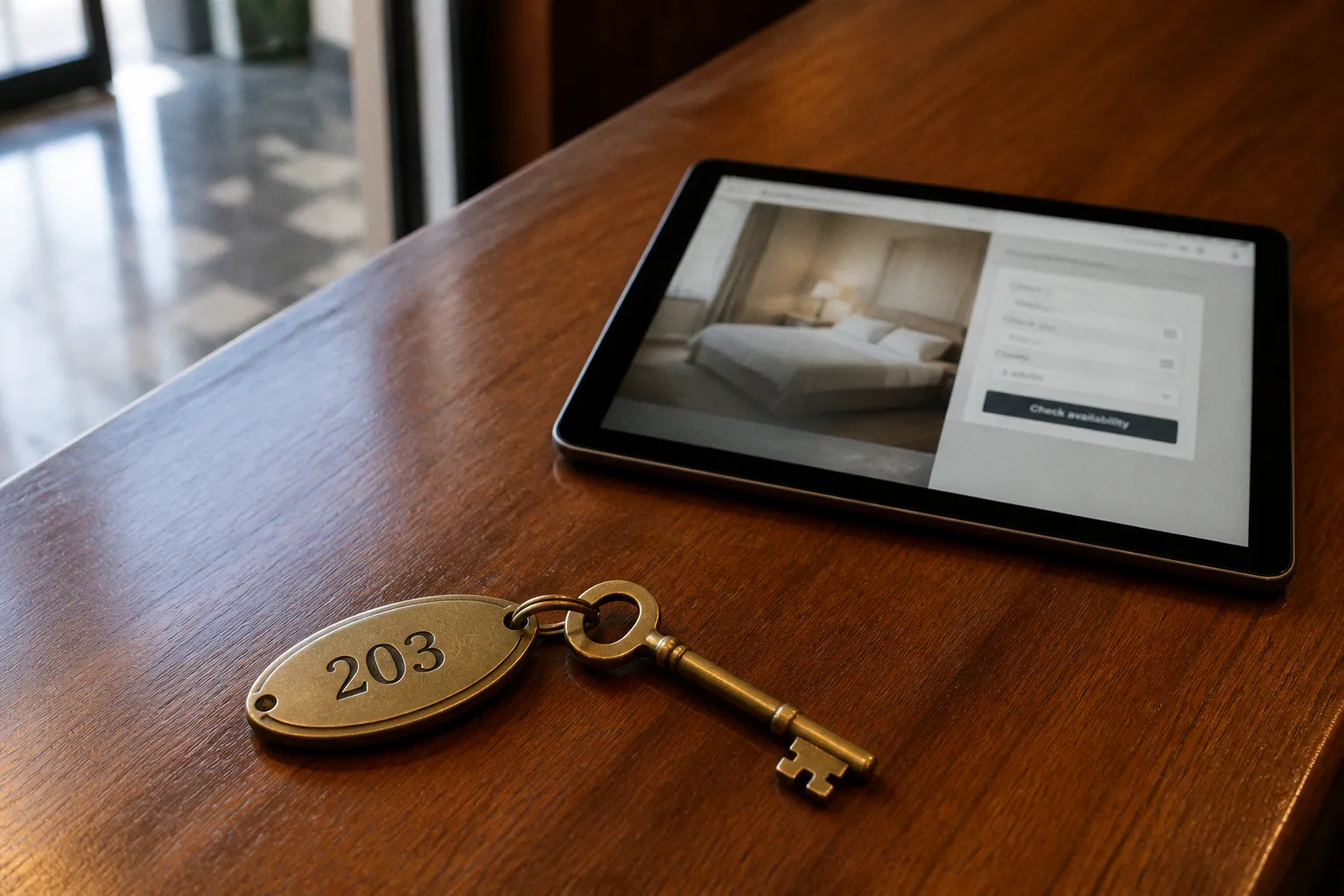
More often, they reach the booking engine with unanswered questions about the room, the rate, the view, the policies, or the practical details that make a stay feel predictable.
That matters because the direct booking channel has a meaningful profitability advantage over OTA reservations. When uncertainty appears at the final step, the hotel loses more than a conversion. It loses the opportunity to own the guest relationship and avoid another intermediary commission.
Static images and a wall of FAQ text are not always enough. The friction is not necessarily in the offer; it is in the gap between what the description promises and what the traveler still cannot picture. A short, contextual video answer can close that gap inside the booking flow.
That makes booking engine video FAQ integration a technical and commercial decision, not simply a content project. The useful question is not whether a hotel has enough video. It is whether the right video appears at the moment when a guest is deciding whether to continue.
The 85% Problem: Why Static Booking Engines Fail Modern Travelers
Independent hotel websites often convert only a small share of their visitors, while booking engines may perform better without eliminating the underlying problem. The gap between a site visit and a confirmed reservation is made up of dozens of small doubts.
A traveler may want to know whether the “ocean view” is genuinely open or partly obstructed. They may be comparing a superior room with a deluxe room and finding that the written difference is vague. A family may need to understand how the sofa bed is arranged. Another guest may be unsure whether the pool is accessible before check-in, whether parking is on-site, or whether a rate can be changed after purchase.
None of these questions is necessarily difficult for the hotel to answer. The difficulty is that the answer has to reach the guest before the booking engine asks for payment details.
Research into hotel video consumption points in the same direction: travelers actively use short-form video before booking, and video tours can make them more comfortable with a purchase. Yet many hotels keep that content separate from the booking decision. The room video sits in a gallery. The policy explanation is buried on a general information page. The property tour lives on a social channel. The booking engine, where uncertainty becomes expensive, remains largely static.
A static FAQ page ends the conversation. A video answer inside the booking flow keeps the guest moving toward a decision.
The user journey usually breaks at the moment of commitment. Photos establish a first impression, but they do not always resolve practical doubts. A floor plan can show dimensions, but not how the room feels when moving through it. A sentence about a balcony does not necessarily show its usable space, outlook, or privacy. A cancellation policy can be technically complete and still be difficult to interpret while comparing several rate plans.
Video helps because it demonstrates rather than merely describes. It can show the distance between the bed and the bathroom, the position of a child’s cot, the route from the lobby to the pool, or the exact arrangement of a room category. The best clip is not a cinematic hotel tour. It is a precise answer to one question.
That distinction is important for hotel website video FAQ strategy. A general brand film may create desire, but a booking engine video FAQ should reduce hesitation. Those are different jobs and should be measured differently.
The question is not “Do we need more video?”
Most hotels do not need to fill every screen with a player. They need to identify the questions that repeatedly interrupt the path to booking.
Start with the places where guests hesitate, leave the engine, or return to an earlier page. Useful signals include:
- repeated questions sent to reservations or the front desk;
- room categories with high views but weak selection rates;
- rate plans that are opened frequently and booked rarely;
- checkout pages with a noticeable exit pattern;
- policy pages visited immediately before a booking attempt;
- support conversations about parking, accessibility, pets, beds, views, or cancellation terms.
This is where video can become a direct booking conversion tactic rather than another asset in the marketing library. The content is selected from observed uncertainty, then placed where that uncertainty appears.
Technical Integration Paths: Widgets, APIs, and PMS Compatibility
There is no single implementation route for every property. The right option depends on the booking engine, the PMS, the video platform, the available development support, and the level of behavioral data the hotel wants to collect.
The three common paths are an external link or redirect, an embedded widget, and a direct API integration. They differ less in the quality of the video than in where the video appears and what the hotel can learn from its use.
1. Stand-alone link or redirect
This is the quickest setup. A button, thumbnail, or text link in the booking engine sends the user to an externally hosted video on a separate page or platform.
The advantages are obvious:
- little or no development work;
- simple content management;
- compatibility with engines that do not permit embedded scripts;
- an easy way to test whether a topic attracts attention.
The weakness is the break in continuity. The guest leaves the booking path and must decide whether to return. A new tab, a separate browser window, a slow-loading video page, or an unclear back button can turn a useful explanation into another abandonment point.
A redirect can still make sense when the question is broad and the guest is early in the research process. It is less suitable for a question that arises during room or rate selection. At that point, the guest is not looking for a new content destination. They are looking for reassurance without losing the choices already made.
2. Embedded widget script
An embedded widget places the player inside the booking engine through a script or iframe. The guest can watch the answer without leaving the reservation interface.
For many hotels, this is the practical middle ground. It preserves the booking context while avoiding the development burden of a full custom integration. A widget can be attached to a room card, rate-plan description, policy prompt, or checkout help element, depending on what the engine allows.
The implementation still needs care. A poorly configured player can slow the page, compete with essential interface elements, or start playing when the guest did not ask for it. The video should normally be user-initiated, compressed appropriately, and lazy-loaded so the initial booking screen is not delayed.
The documented GuestCentric–HOVR result is a useful example of the scalability argument: widgets were activated across 865 booking engines in a single deployment. The figure refers to booking engines, not properties. That distinction matters when evaluating how a platform-level integration can be rolled out.
3. Direct bi-directional API
A direct API integration connects the video platform with the booking engine and, where appropriate, the PMS or other hotel systems. The goal is not merely to display a clip. It is to exchange context and interaction data.
With a deeper integration, the system may be able to:
- display a room-specific video after a guest selects a category;
- show a policy explanation based on the rate plan under consideration;
- associate a video interaction with a booking-engine session;
- record which content was watched before a user continued or abandoned;
- update content centrally while preserving property-level variations;
- connect room, rate, and property metadata to the relevant video.
This is the most powerful route, but also the most demanding. The hotel has to confirm data access, authentication, ownership of the integration, maintenance responsibilities, and what happens when the PMS or booking engine changes its interface.
The technical decision should therefore be made with the whole path in view. A sophisticated API is not automatically better if the property lacks the resources to maintain it. A well-designed widget that loads quickly and appears at the right moment may produce more value than an ambitious integration that remains unfinished.
Integration path comparison
| Path | Implementation speed | User friction | Typical use | Data available |
|---|---|---|---|---|
| Stand-alone link | Minutes to days | High because the guest leaves the engine | Broad property information or early-stage reassurance | Basic clicks and referral activity |
| Embedded widget | Hours to days, depending on the engine | Low because the guest stays in context | Room, rate, policy, and checkout questions | Plays, engagement, and completion data |
| Direct API | Weeks or longer | Lowest when properly configured | Contextual content tied to room, rate, or session data | Detailed journey and interaction data |
Embedded widgets generally offer the strongest balance for a single property or a group that needs to move quickly. They put the answer where the question occurs and keep the technical lift within reach for many hotel teams.
Before implementation, confirm four practical points:
1. Where can scripts or iframes be placed? Some engines allow content in room descriptions but restrict checkout modules.
2. What metadata can be passed? If the engine cannot identify the selected room or rate, the experience may remain generic.
3. How is consent handled? Third-party players and tracking tools may require a review of privacy settings and cookie behavior.
4. Who maintains the content? A video that shows a room, policy, or facility becomes misleading when the hotel changes it.
Compatibility is not a minor technical footnote. It determines whether the video is contextual or merely decorative.
Strategic Placement: Where Video FAQs Solve Checkout Friction
Placement should follow the decision, not the property map. A clip belongs where a specific hesitation appears. A generic hotel tour may be attractive, but it is usually too broad to answer a room-selection question.
Room selection grid
Room cards are often the first place where a hotel can replace ambiguity with evidence. A short clip attached to each category can show the actual room layout, bed configuration, bathroom, storage, and view.
The video does not need to cover every feature. It should focus on the details that distinguish one category from another. If two rooms look similar in still images, the clip should make the difference visible. If a room is compact but well designed, the video can show how the space works instead of leaving the guest to infer it from adjectives.
A useful room clip answers a question such as: what exactly am I getting for this category? It should not force the guest to watch a long tour before seeing the price or selecting the room.
Rate-plan and package comparison
Rate plans create a different type of uncertainty. The issue is not what the room looks like, but what the rules mean.
A short video can clarify:
- whether breakfast is included and where it is served;
- what “non-refundable” means in practice;
- how an advance-purchase rate differs from a flexible rate;
- whether an included transfer applies to every guest;
- when a package benefit becomes available;
- what is and is not covered by a resort or facility fee.
Written terms remain necessary. Video should not replace the contractual information. Its role is to make the offer easier to understand while the guest is comparing options.
This is particularly useful when the rate names are familiar to the hotel team but not to the traveler. Internal language often compresses several conditions into a label. A visual explanation can unpack them without requiring the guest to open another page.
Ancillary services and upsells
Add-ons are easy to ignore when their value is abstract. A short clip can show how a service works: the airport transfer meeting point, the location of a children’s play area, the size of a spa treatment room, or the practical benefit of late checkout.
The content should answer whether the extra service is relevant, not simply announce that it exists. A ten-second demonstration may be enough. The more expensive or unfamiliar the add-on, the more important it is to show the experience rather than repeat its name.
Upsell video also requires restraint. If every optional service opens a player, the booking engine becomes noisy. Prioritize add-ons that generate questions, carry a meaningful margin, or are often misunderstood.
Checkout before payment
The pre-payment page is where small unresolved issues can stop a reservation. A compact video FAQ can address practical matters such as:
- how check-in works after reception hours;
- where guests park and how access is managed;
- whether Wi-Fi is available throughout the property;
- how pet policies apply to different room types;
- what identification or payment conditions are required;
- how accessible rooms and facilities are arranged.
The video should be easy to dismiss and should not obscure the booking button, payment fields, or legally required information. It is there to remove a final barrier, not to compete with the transaction.
Abandonment recovery
When the booking platform and marketing stack support it, video can also be used after a guest leaves. An abandonment email may link to a clip that addresses the point most likely to have caused hesitation.
This is more effective when the message is specific. A generic property film is unlikely to solve a question about cancellation terms. A short explanation of the selected room, arrival process, or rate conditions has a better chance of restoring confidence.
The rule is simple: one video, one question, one decision point. When a single clip tries to explain the hotel, the room, the destination, the policy, and the package, it usually explains none of them well.
Performance Benchmarks: Measuring the Impact on Direct Conversion
Video should not be added to the booking engine and then judged by views alone. A play is an interaction, not a booking. The measurement framework must connect content exposure with behavior while remaining honest about what the data can prove.
Start with the booking-engine conversion rate
The first comparison is between sessions that viewed a video FAQ and sessions that did not. This can reveal whether engaged users book more often, but it does not automatically prove that the video caused the difference. Guests who are already more motivated may be more likely to watch and book.
A stronger test compares two versions of the same booking experience: one with the relevant video element and one with the static version. Keep the room inventory, pricing, traffic sources, and booking conditions as consistent as possible. The result is more useful when the test has enough traffic and runs through a representative booking period.
The documented comparison for embedded widgets versus external redirects supports a more limited conclusion: embedded solutions can perform up to 37% higher in conversion rate than external redirects. It does not support a precise range beginning at 25%, so the dashboard and article should not present the result as a guaranteed or universal lift.
Track the supporting signals
Conversion remains the commercial outcome, but the supporting metrics explain why a video is or is not helping.
Useful signals include:
- Video engagement rate: how often booking-engine visitors start a relevant clip;
- Completion rate: whether the clip holds attention through the answer;
- Room or rate continuation: whether viewers proceed to the next booking step;
- Exit location: where guests leave after viewing or ignoring the video;
- Repeat viewing: whether a section is being replayed because it is useful or unclear;
- Booking value and ancillary attachment: whether video engagement is associated with a different booking mix;
- Support-question volume: whether the content reduces repetitive pre-arrival or pre-booking questions.
These metrics need context. A low completion rate may mean the answer is delivered quickly, which is not necessarily a failure. A high completion rate may indicate that the clip is engaging, but not that it resolves the question. The strongest signal is a reduction in hesitation at the relevant step.
Test the placement, not only the presence
An A/B test should not ask only whether the hotel has video. It should test the position and form of the answer.
Possible comparisons include:
- room-card video versus a video shown after room selection;
- a visible thumbnail versus a text prompt;
- autoplay muted video versus user-initiated playback;
- a thirty-second room explanation versus a shorter clip focused on one feature;
- a persistent checkout help element versus a one-time prompt;
- a room-specific video versus a general property tour.
The goal is to learn which intervention reduces friction without slowing the transaction. A video that increases engagement but also delays payment or distracts from the booking button may not be a commercial improvement.
Performance also depends on page speed and mobile behavior. Many hotel bookings begin or occur on mobile devices, where a large player, unstable layout, or unexpected audio can damage trust quickly. Use compressed files, responsive dimensions, lazy loading, captions, and clear controls. Test on a real mobile connection rather than only on a fast office network.
The measurement setup should be agreed before launch. Define what counts as a view, which events are sent to analytics, how a session is linked to a booking, and how privacy restrictions affect the data. Without that preparation, the hotel may end up with an attractive video library and no credible answer about its commercial effect.
Scaling Interactive Content Across Multiple Property Portfolios
For a hotel group, the challenge is not simply placing a player on several websites. It is creating a system in which the central team can provide standards while each property still answers its own operational questions.
A city hotel, a resort, and an airport property may share a brand, but they do not share the same booking friction. One needs to explain room layouts and transport. Another needs to clarify beach access, children’s facilities, or seasonal services. A third may need to show parking, late arrival, and soundproofing. A portfolio-wide template should create consistency without forcing every hotel to publish identical content.
Platform-level integration is usually the sensible foundation. Partnerships between booking-engine providers and video platforms can allow activation across a portfolio after the core technical work is completed. The documented GuestCentric–HOVR example shows the scale possible when widgets are activated across 865 booking engines in one deployment. The value is not the number alone; it is the ability to avoid rebuilding the same connection property by property.
Build a content system, not a pile of clips
A useful template library gives properties a clear structure without dictating every sentence or shot.
Room-type template
- establish the room category and its position in the hotel;
- show the layout and the feature that distinguishes it;
- demonstrate the bed configuration, bathroom, and view where relevant;
- finish with the practical point most likely to affect the booking decision.
Amenity template
- identify the facility;
- show how a guest uses it;
- explain the rule or limitation that is often misunderstood;
- include access details only if they are stable and accurate.
Policy template
- state the situation in plain language;
- explain what the guest needs to do;
- show the relevant point of contact or location when helpful;
- direct the guest back to the written terms for full conditions.
Arrival template
- show the route, entrance, reception process, or meeting point;
- explain what happens outside normal hours;
- clarify parking, luggage, accessibility, or transfer details where applicable.
Templates reduce production time and make quality control easier. They also help a central team compare performance across properties. But the template should remain a framework. A property should be able to add the detail that matters locally rather than produce a technically consistent but unhelpful clip.
Governance matters as much as production
Outdated video is worse than no video when it creates a false expectation. Portfolio teams need ownership rules for:
- room renovations and furniture changes;
- seasonal facilities and opening hours;
- policy or rate-plan updates;
- accessibility information;
- branded language and visual standards;
- captions, translations, and mobile presentation;
- review and expiry dates for every published clip.
The booking engine should ideally display content based on structured metadata: property, room category, rate type, facility, language, and status. That makes it easier to replace a single clip without disturbing the wider system.
Localization also needs judgment. Translating a script word for word may not resolve the same concern for every market. International guests may need more explanation of transport, deposits, or room conventions. Captions should be available even when the spoken language is understood, because many users browse with sound disabled.
A practical rollout sequence
A group does not have to launch every video at once. A controlled rollout is easier to measure and maintain.
1. Map the friction. Review analytics, search behavior, reservations questions, and exit points to identify the decisions that need support.
2. Choose a small pilot. Select a property, room category, or booking flow where the uncertainty is clear and the team can respond quickly.
3. Confirm the integration boundary. Establish whether the engine supports links, widgets, or API-based context, and document the PMS dependencies.
4. Produce question-led clips. Keep each video focused on one decision instead of creating another general hotel tour.
5. Instrument the experience. Track plays, completion, continuation, exits, and bookings with the limitations of consent and attribution clearly understood.
6. Review commercial and operational results. Compare conversion behavior with the static experience and check whether guest questions have changed.
7. Refine the templates. Keep what works, remove low-value placements, and adapt the framework before expanding to more properties.
This sequence keeps the program tied to booking performance. It also prevents the common portfolio mistake of scaling the technology before understanding the content problem.
The objective is not to create the largest video library. It is to remove the specific uncertainty that blocks a direct reservation. A well-placed room explanation, a clear rate-plan answer, or a practical arrival demonstration can do more for conversion than a polished property film displayed in the wrong place.
Booking engine video FAQ integration works when content, interface, and measurement are treated as one system. The widget, API, or player is only the delivery mechanism. The real advantage comes from answering the guest’s question without making them leave the booking path.