Room upgrade video upsells: an implementation roadmap
Standard automated pre-arrival emails convert room-upgrade offers at roughly 2%–5%. Targeted or AI-driven upsell engines can reach 15%–25%. That gap is not explained by copy alone.
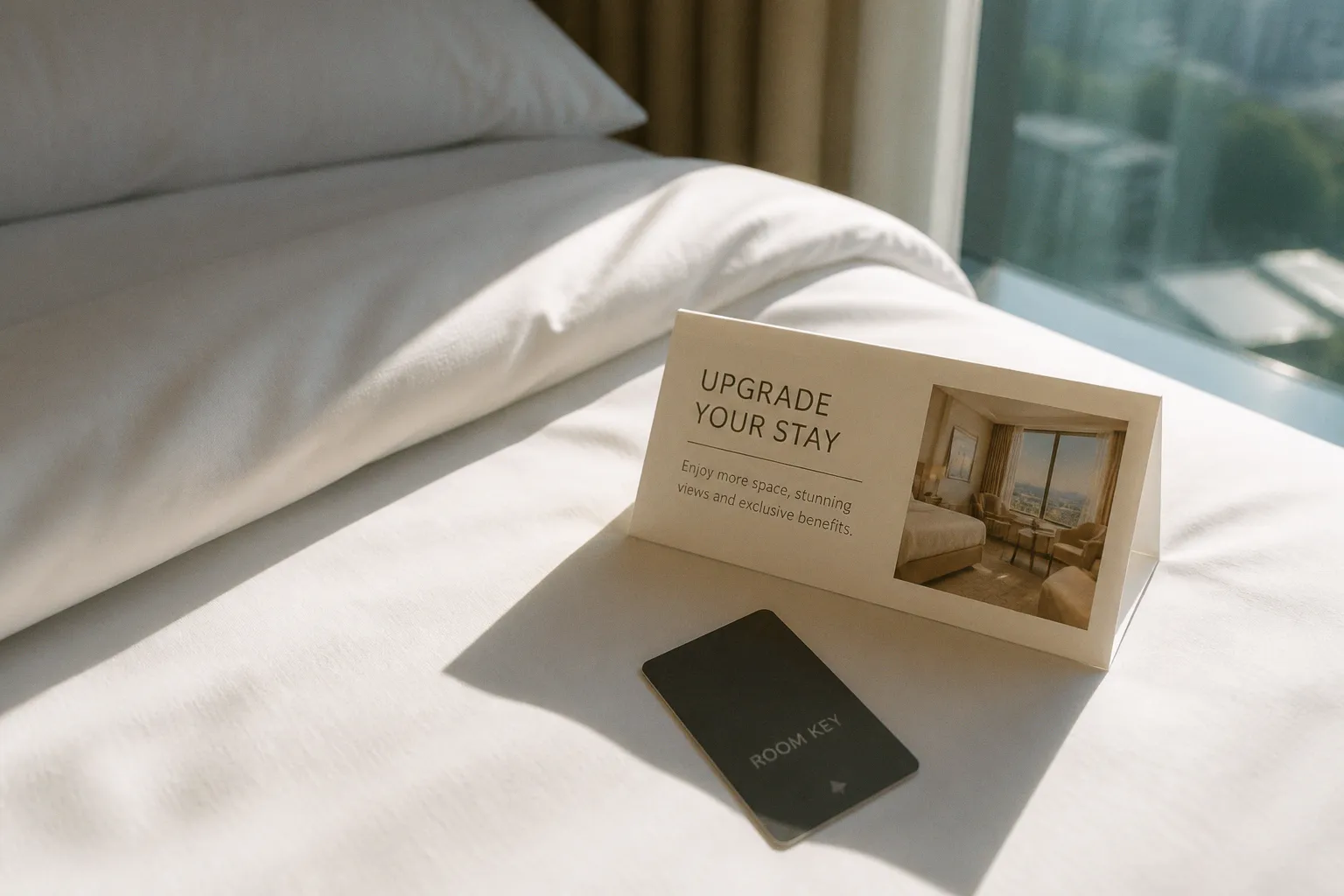
It comes from timing, segmentation, offer logic, and the quality of the visual proof attached to the offer.
A room category is a spatial product. Static rate labels do not show the difference between a standard room and a superior room with more usable floor area, a better view, stronger daylight, or a materially different bathroom. Hotel room upgrade video upsells work when they remove that information gap inside the booking journey.
The objective is not to produce a cinematic hotel film. It is to show the upgrade in a format that supports a decision. The guest must understand what changes, what it costs, and why the difference matters before payment.
The conversion problem is usually a merchandising problem
Most booking engines present room tiers as a stack of names, rates, and short descriptions:
- Standard Room
- Superior Room
- Deluxe Room
- Suite
The labels are easy to publish and difficult to evaluate. They force the guest to infer the product difference from text. This creates friction at the point where the hotel is asking for a higher average booking value.
The usual failure points are specific:
- The floor plan is not visible.
- The view is described but not demonstrated.
- The room size is stated without a reference point.
- The bathroom upgrade is hidden in a long list of amenities.
- Natural light is represented by one wide-angle image with poor exposure.
- The best room is shown from an angle that conceals its actual layout.
- The upgrade price is visible, but the additional product value is not.
This is where video commerce can help. A short clip can show circulation, sightlines, window placement, bathroom separation, and the relationship between sleeping and living areas. It creates a more complete product representation than a single image.
It does not automatically improve conversion. There is no reliable universal benchmark proving that a short room video will outperform static photography in every booking engine. Video performance remains dependent on placement, playback speed, device, page load, offer price, and the quality of the underlying room product.
The useful claim is narrower: video can reduce uncertainty when it shows a meaningful difference between room categories.
A room upgrade does not sell because it is more expensive. It sells when the guest can see the additional product.
Where hotel room upgrade video upsells belong in the funnel
The placement of the offer determines the quality of the decision. A video placed on the homepage has a different job from a video placed beside a live upgrade price.
There are three high-value touchpoints.
1. The direct booking engine checkout step
This is the most transactional placement. The guest has already selected dates, occupancy, and a base room. The upgrade offer appears while the purchase intent is active.
The offer should contain:
- The current room category.
- The proposed room category.
- The incremental price, preferably per night and for the full stay.
- A short video showing the physical difference.
- Three or four concrete upgrade benefits.
- A clear selection control.
- A visible way to decline without disrupting the booking.
The video must load without taking control away from the checkout flow. Autoplay with sound is usually a poor implementation. Silent autoplay, muted preview, or click-to-play is more suitable for a booking environment where the guest may be using a mobile device in a public setting.
The clip should not be buried below a long amenity list. If the upgrade card is visible in the booking engine, the video preview should appear in the same decision area.
2. Pre-arrival communication one to three days before arrival
Pre-arrival messaging is useful because the guest has already committed to the hotel. The decision is no longer whether to book. It is whether to increase the value of an existing stay.
This stage supports more contextual offers:
- A larger room for a longer stay.
- A view upgrade for a leisure booking.
- A suite for a celebration.
- A quieter or more private category for guests with a relevant preference.
- A room with a terrace when the original booking lacks outdoor space.
The message can link to a mobile landing page or an integrated upsell module. The important technical requirement is that the guest should not be forced through an unrelated page sequence. The offer must preserve the reservation context and show the correct dates, occupancy, room availability, and price.
An email containing a video thumbnail that leads to a generic homepage adds friction. The destination should open the upgrade decision directly.
3. Mobile web check-in
Digital check-in is the final major pre-arrival touchpoint. It has a shorter attention window and less tolerance for complex layouts. The video must therefore be shorter, lighter, and more explicit.
A check-in upgrade card should answer three questions immediately:
1. What room is currently booked?
2. What room is being offered?
3. What is the additional cost?
The visual can then prove the difference. Do not make the guest watch the full clip before displaying the price. That reverses the order of the decision and creates unnecessary friction.
Build the visual proof before producing the video
The primary mistake in room-tier video marketing is starting with a shot list instead of a product comparison. The hotel commissions footage before defining what the guest needs to distinguish.
Begin with a room-category matrix.
| Upgrade variable | What the guest needs to see | Suitable visual treatment | Conversion risk if omitted |
|---|---|---|---|
| Spatial layout | Relative room size and usable circulation | Slow entry shot, measured camera movement, clear connection between zones | The upgrade looks like a minor cosmetic change |
| View | Actual outlook from the room, not a generic exterior | Window reveal, stable exposure, visible depth beyond the glass | The view claim remains abstract |
| Natural light | Window position, daylight direction, and room brightness | Controlled exposure, interior and window detail in the same sequence | The video exaggerates or conceals the light level |
| Bathroom | Fixture quality, separation, tub or walk-in shower, counter space | Short dedicated bathroom sequence | A high-value differentiator disappears into copy |
| Furniture and working space | Bed position, seating, desk, storage | Wide shot followed by functional details | Guests cannot assess usability |
| Privacy and access | Entry corridor, connecting door, terrace, or separation from public areas | Direct route through the room | The guest cannot understand the plan |
| Upgrade price | Incremental cost for the stay | Persistent on-screen or adjacent interface text | Visual interest does not become revenue |
The camera is not a neutral observer. Focal length changes perceived room size. A very wide lens can make a narrow room appear more generous and can distort the relationship between bed, desk, and bathroom. That creates a post-purchase expectation problem.
Use a focal length that preserves architectural geometry and gives the guest a credible sense of proportion. Keep verticals controlled. Avoid exaggerated push-ins. A room video is a merchandising asset, not a real-estate illusion.
The minimum shot sequence
A practical room upgrade video can be built around a repeatable sequence:
1. Orientation shot. Show the entry and the primary spatial relationship. The guest should know where the camera is and how the room connects.
2. Differentiator shot. Show the feature that separates this category from the lower tier: additional floor area, separate living space, balcony, view, or bathroom configuration.
3. Functional shot. Show how the room is used. Include the desk, seating, storage, or movement around the bed.
4. View shot. Reveal the actual outlook from the relevant window or terrace. Do not substitute an exterior brand image.
5. Detail shot. Show the bathroom or another feature with high perceived value.
6. Comparison frame. If the interface allows it, state the difference in plain terms: more space, separate living area, terrace, or upgraded bathroom.
The sequence should be consistent across room categories. If the standard room receives a wide interior view and the suite receives a montage of details, the comparison becomes difficult. Consistency improves the guest’s ability to evaluate the upgrade.
Video length is a loading decision, not an artistic decision
The correct duration depends on placement and bandwidth. A booking engine needs a file that loads quickly and communicates the product before the guest loses the purchase path.
Use different cuts for different touchpoints:
- Booking engine preview: a short loop focused on the main difference.
- Pre-arrival landing page: a longer sequence with several room features.
- Mobile check-in: a compressed version with one clear upgrade argument.
- Email: a static thumbnail or lightweight preview that opens the offer page.
Do not place a high-bitrate hero film inside a checkout card. The asset may be technically impressive and commercially useless. Every additional loading delay can increase friction, especially on mobile. Measure file weight, playback start time, completion rate, and interaction with the upgrade control.
A hotel room video should also function without sound. The core message must be visible in the frame and supported by short interface copy. Music cannot explain that the bathroom is separate, the room has a terrace, or the view is unobstructed.
Captions can be used, but do not convert the video into a text wall. The interface should carry the price and product comparison. The video should carry the spatial evidence.
Lighting and dynamic range
Lighting is where many room videos fail technically. A room with a bright window and a darker interior exceeds the camera’s usable dynamic range. If the exposure protects the view, the room becomes dark. If it protects the room, the window clips into white.
This matters because a clipped window removes the evidence supporting a view upgrade. The guest sees brightness, not information.
Control the scene before recording:
- Balance interior exposure against the window view.
- Avoid mixing uncontrolled daylight with strong artificial color.
- Keep the camera path stable.
- Record the bathroom separately if its exposure differs from the bedroom.
- Preserve visible texture in dark furniture and light walls.
- Do not use aggressive HDR processing that changes the room’s apparent materials.
The objective is not maximum brightness. It is legibility. The guest should understand the dimensions, surfaces, and view without the image becoming misleading.
Connect the offer to the booking engine and PMS
A video asset does not create an upsell workflow by itself. The commercial system must know which guest is eligible for which offer and which room category is available for the dates.
Digital upselling platforms such as Oaky, Plusgrade, Canary Technologies, and DigitalGuest are designed to connect with hotel PMS and CRM environments. The exact integration depends on the hotel’s technology stack, but the operating principle is consistent: reservation data drives the offer, and the offer returns a measurable action.
At minimum, the implementation needs:
- Reservation ID.
- Arrival and departure dates.
- Number of guests.
- Current room category.
- Eligible upgrade categories.
- Live inventory or an approved allocation.
- Incremental price.
- Payment or confirmation flow.
- Delivery channel.
- Acceptance and rejection status.
- Revenue attribution.
Without these fields, the hotel cannot reliably distinguish a true room-upgrade conversion from a manual change, a complimentary move, or an unrelated reservation modification.
The integration also protects against a common operational error: selling an upgrade that is not actually available. The booking engine may display a superior room while the PMS has already assigned the inventory elsewhere. The commercial promise then becomes a front-desk problem.
Offer rules should reflect the reservation
A generic offer is easy to automate. A relevant offer is more likely to be accepted.
Useful rule dimensions include:
- Length of stay.
- Booking lead time.
- Current room category.
- Occupancy.
- Leisure or business segment, where that data is available.
- Previous stay or known preference, where permitted and operationally reliable.
- Remaining inventory in the superior category.
- Price distance between the booked room and the upgrade.
Do not expose every guest to every room. A guest already booked into the highest available category has no useful upgrade path. A guest staying one night may respond differently from a guest staying a week. The system should not treat these cases as identical.
The offer can also be structured around the marginal price rather than the full room rate. An upgrade from standard to superior is easier to evaluate when the guest sees the additional cost for the stay and the additional cost per night. Both values should be mathematically consistent.
Price the upgrade as a product difference
Video cannot compensate for weak price architecture. If the room categories are badly tiered, the guest will not understand the economic logic of the offer.
The upgrade price should correspond to a visible difference. A higher rate with no visible product change creates resistance. A modest incremental charge paired with a clear spatial improvement can be easier to accept.
One supplied operating example uses a €25-per-night standard-to-superior upgrade. At 10% adoption, that model is described as capable of producing more than €80,000 in annual revenue under the relevant volume assumptions. It is a scenario, not a universal forecast. The same price and adoption rate cannot be transferred to another hotel without room volume, occupancy, inventory, length-of-stay, and demand data.
Model the offer with actual property inputs:
- Eligible bookings per month.
- Available upgrade inventory.
- Average length of stay.
- Incremental price.
- Expected attachment rate.
- Refunds or cancellations.
- Operational cost.
- Revenue attributed to the upgrade.
The calculation should separate offer conversion from total booking revenue. Guests who accept a room upgrade generate an average booking revenue increase of 14.05% in the cited industry data. That does not mean every hotel will achieve the same result, and it does not mean the hotel’s total revenue will increase by 14.05%. The figure applies to bookings where the upgrade is accepted.
At property level, a smaller overall revenue lift can still matter. The cited data indicates that accepted upgrades can translate to nearly a 1% increase in total hotel revenue. This is why the workflow should be measured as an ancillary revenue stream rather than judged only by room-rate growth.
The correct KPI is not video completion. It is incremental room revenue after the offer is shown.
Measure the full funnel, not the play button
A hotel can produce a high-performing video asset that generates no commercial value. The guest may watch the clip, return to the room list, and complete the original booking. That is engagement without conversion.
The measurement layer should connect exposure to revenue.
Track at least these events:
- Upgrade offer displayed.
- Video loaded.
- Video started.
- Video watched to defined progress points.
- Upgrade control selected.
- Offer abandoned.
- Payment completed.
- Room category changed.
- Reservation cancelled or modified.
- Additional revenue realized.
The most useful ratios are:
- Video start rate: starts divided by offer impressions.
- Qualified engagement rate: views reaching a defined progress point divided by starts.
- Upgrade selection rate: selections divided by offer impressions.
- Upgrade conversion rate: paid upgrades divided by offer impressions.
- Revenue per eligible booking: upgrade revenue divided by all bookings eligible for the offer.
- Revenue per offer impression: upgrade revenue divided by displayed offers.
- Abandonment rate: incomplete upgrade actions divided by initiated upgrade actions.
Do not use a generic video benchmark as the primary success criterion. The research base does not establish a universal conversion benchmark for short hotel room clips versus static images. Set a property baseline first. Then test one variable at a time.
A practical split-test sequence
Run the tests in operational order:
1. Placement test. Compare the upgrade card in the room-selection stage with the same offer at checkout.
2. Visual test. Compare static image against video while holding price and copy constant.
3. Message test. Compare a feature-led label with a space-led label.
4. Price presentation test. Show per-night price, full-stay price, or both.
5. Timing test. Compare booking-engine exposure with a pre-arrival message one to three days before arrival.
6. Segmentation test. Compare a general offer with a rule-based offer tied to room category or stay length.
Do not change the video, offer price, audience, and placement at the same time. That produces a result but not an explanation.
Heatmap data can identify whether guests reach the video and whether they interact with the upgrade card. Session recordings may reveal that the video is visible but the selection control is below the fold. Booking-engine analytics can show whether the offer creates a bounce or simply receives no interaction.
The cleanest test is not always the most sophisticated. A controlled comparison with a stable room price, identical inventory logic, and clear attribution is more useful than a complex personalization layer with incomplete tracking.
Common implementation failures
The video shows the room but not the difference
A beautiful sweep across a superior room does not prove why it should replace the booked room. The guest needs a comparison point. If the base room is not shown in the same visual language, the upgrade claim remains weak.
Use parallel framing where possible. Show the same spatial feature in both categories. If the superior room has a separate living area, make that separation obvious. If it has a better view, hold the exposure long enough for the view to register.
The footage overstates the physical product
Extreme wide-angle footage creates a mismatch between digital expectation and physical arrival. This can increase complaints even if the video improves initial conversion.
Keep architectural lines stable. Avoid camera movement that compresses or expands the room perceptually. The room should look clear, not larger than it is.
The offer is not available at the moment of acceptance
This is a system failure. The video is irrelevant if the inventory logic is stale. Integrate the offer with the PMS or booking engine and define what happens when the room category sells out between display and payment.
The fallback should be explicit. Remove the offer, provide an alternative category, or route the request to staff. Do not confirm an upgrade that the operation cannot deliver.
The video blocks the checkout
Large assets, slow embeds, and forced full-screen playback create friction. The guest came to complete a reservation. The upgrade must be optional and fast.
Use a lightweight preview. Keep the price and selection control available before playback. Measure page performance separately from video engagement.
The hotel measures views instead of paid upgrades
Views are useful diagnostic data. They are not revenue. If the clip receives many starts but few selections, inspect the price, the offer wording, the room difference, and the booking-engine placement.
If selections are high but payment completion is low, inspect the checkout flow. The issue may be payment friction rather than visual merchandising.
Staff are excluded from the operating model
Digital upselling complements front-desk and reservation-team activity. It does not remove the need for staff interaction. Some guests will ask for clarification, request a specific location, or have requirements that automated rules cannot interpret.
The team needs visibility into accepted upgrades and the exact content shown to the guest. This prevents a mismatch between the digital promise and the room assigned on arrival.
The implementation roadmap
A controlled rollout can be organized into five stages.
Stage one: audit the room hierarchy
Document every sellable room category. Record:
- Net room area.
- Bed configuration.
- Window and view conditions.
- Bathroom layout.
- Terrace or balcony access.
- Living and working zones.
- Accessibility features.
- Connecting-room availability.
- Actual inventory by date.
- Existing price gap.
Remove weak distinctions. If two categories are visually and functionally indistinguishable, video will expose the problem rather than solve it.
Stage two: select the upgrade arguments
For each room pair, choose the two or three differences that can be demonstrated visually. Do not use a list of every amenity.
A strong argument is spatial and verifiable:
- Separate living area.
- Larger usable floor area.
- Terrace with a defined view.
- Walk-in shower instead of a compact shower enclosure.
- Higher floor with a materially different outlook.
- Better daylight or a more open room orientation.
A weak argument is generic:
- More comfort.
- Premium experience.
- Enhanced stay.
- Exclusive design.
These phrases do not give the guest a basis for comparison.
Stage three: produce modular assets
Create a master shoot that can generate multiple outputs:
- Booking-engine preview.
- Pre-arrival version.
- Mobile check-in version.
- Static thumbnail.
- Cropped vertical cut for messaging.
- Room-category comparison frames.
Maintain consistent camera height, focal length, exposure logic, and sequencing across categories. The asset library should support future offer changes without requiring a full reshoot.
Stage four: connect systems and attribution
Before launch, test:
- Reservation data transfer.
- Eligibility rules.
- Inventory updates.
- Price calculation.
- Payment confirmation.
- PMS room-category update.
- Cancellation handling.
- Staff notification.
- Revenue reporting.
Use test reservations. Check the guest-facing message, booking-engine state, PMS record, and operational alert as one chain.
Stage five: launch with a baseline
Start with one room-upgrade path. Select a category with a clear physical difference and sufficient inventory. Establish the baseline using the current offer format, then introduce video.
Review results by device, channel, room pair, length of stay, and lead time. A blended conversion rate can hide a failure on mobile or a strong result from a single high-demand room category.
The technical closeout
Before scaling hotel room upgrade video upsells, confirm the following:
- The video demonstrates a real difference between two room categories.
- The focal length does not materially distort room proportions.
- Window exposure preserves view information and interior detail.
- The file loads within the booking flow without blocking the purchase.
- The offer shows both room categories and the incremental price.
- The upgrade is available through live PMS or booking-engine logic.
- The booking, payment, and room-category update are connected.
- The video works without sound.
- The mobile version is shorter and lighter where required.
- Views, selections, paid upgrades, abandonment, and revenue are tracked separately.
- The test compares one variable at a time.
- Front-desk staff can see and deliver the accepted upgrade.
- The report distinguishes accepted-upgrade revenue from total booking revenue.
- No forecast uses a generic video conversion rate as if it were a property benchmark.
The business case is straightforward. Standard automated upsell emails may convert at 2%–5%, while targeted engines can reach 15%–25%. The difference comes from the complete system: relevant offer, correct timing, visible product distinction, reliable integration, and disciplined measurement.
Video is one component. It is the evidence layer. If the room hierarchy is unclear, the price is poorly structured, or the booking engine creates friction, better footage will only make the failure easier to see.