Video booking engines: three integration traps
A 30-second 4K hero video can weigh about 67 MB. A compressed 1080p version can still reach 16 MB. Put that asset above a hotel booking flow, add a third-party player, load tracking scripts and custom fonts, then send the user into an iframe.
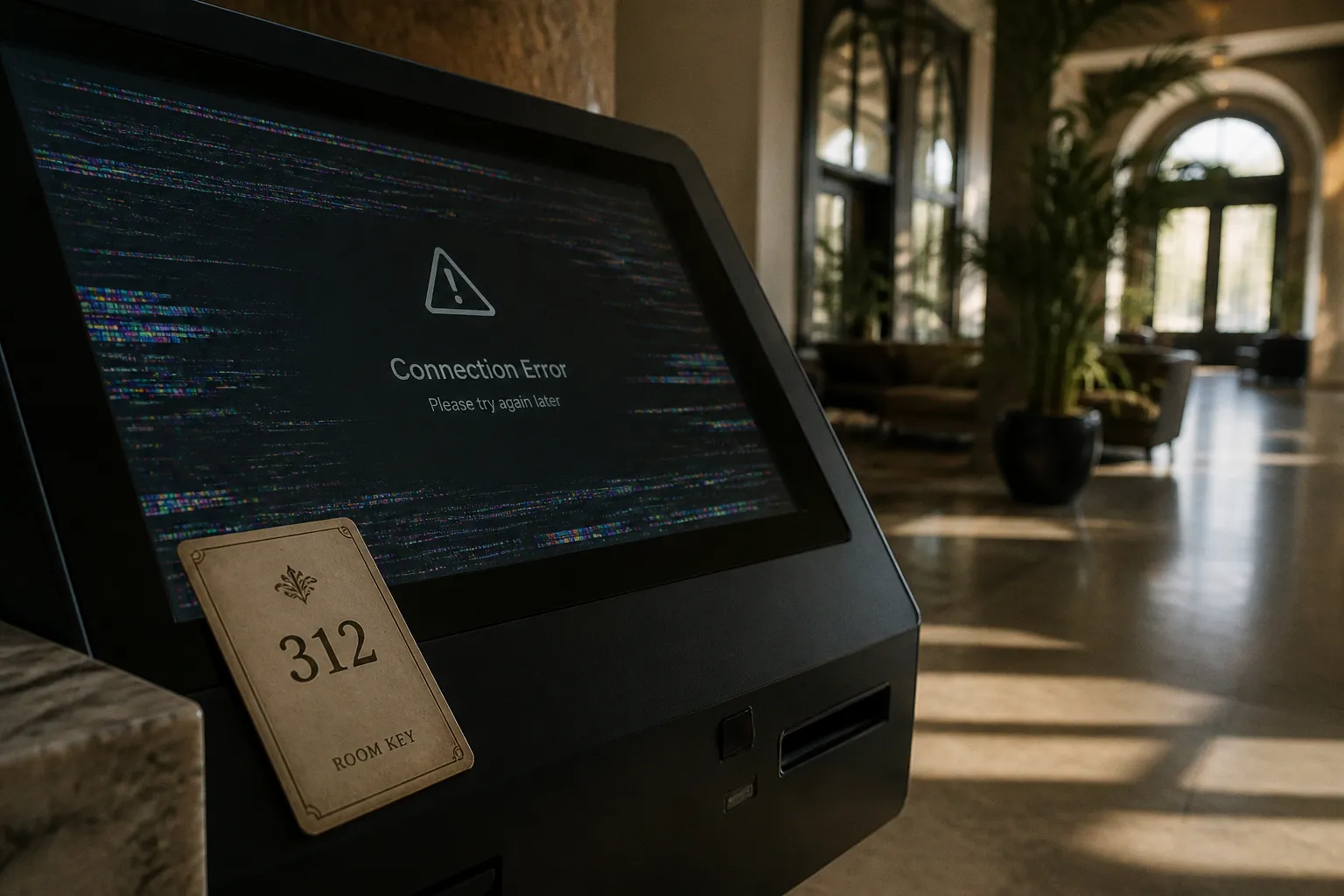
The result is not a richer booking experience by default. It is a performance stack with several failure points.
The comparison between a native video booking engine and a plugin is therefore not a design decision. It is an infrastructure decision. It affects latency, mobile navigation, PMS synchronization, bandwidth cost, booking abandonment and direct-booking ROI.
A direct booking can save a hotel the 15% to 25% commission normally paid to an OTA. That margin justifies better architecture. It does not justify adding unmeasured code to the booking path.
The hidden performance cost of plugin-based video players
A plugin rarely adds only a video file.
It may load:
- A player runtime.
- Custom controls.
- Thumbnail assets.
- Tracking scripts.
- Web fonts.
- Consent-management dependencies.
- Additional JavaScript bundles.
- Requests to several external domains.
- Autoplay and responsive-layout logic.
- Playback analytics that remain active after the visitor has moved to the booking form.
Each dependency creates another request or execution event. The browser must resolve domains, download resources, parse JavaScript and calculate layout. On a desktop connection, the damage may be hidden. On a mobile connection, it becomes visible in the waterfall.
The useful metric is not video resolution. It is the time between page request and booking interaction.
A hotel landing page can have a high-end visual asset and still fail the conversion test if the first meaningful booking control is delayed. The heatmap will show the symptom: users scroll less, interact later or abandon before selecting dates. Analytics may register the visit as traffic. The booking engine will register nothing.
Video is often loaded before it is needed
Most plugin implementations treat the hero video as a page-level dependency. The browser begins loading it immediately, even when the user has not watched it and may never reach the booking module.
That is inefficient.
The booking path should prioritize:
1. Property identity.
2. Room or rate selection.
3. Dates and occupancy.
4. Availability response.
5. Payment or confirmation steps.
A video can support those decisions. It should not block them.
The common error is to load a high-resolution asset, poster image, player runtime and analytics layer at the same priority as the booking form. The page then competes with itself. The visual layer consumes bandwidth while the commercial layer waits.
A better setup separates the content layers:
- Load a lightweight poster image first.
- Defer video playback until user interaction or a defined viewport condition.
- Serve different assets by viewport and connection quality.
- Keep the booking module available even if the player fails.
- Avoid loading full player controls when muted inline playback is the only requirement.
- Measure the booking form’s render time separately from the media layer.
This is a conversion-rate optimization problem. The asset must earn its bandwidth.
A video that delays availability is not a conversion asset. It is a checkout dependency disguised as content.
Third-party players create invisible overhead
A video player can look embedded while behaving like an application inside the application.
The runtime may attach event listeners, create custom controls, request thumbnails and initiate tracking before the visitor presses play. Some players also introduce layout shifts when dimensions are not reserved in advance. The result is a page that moves while the user is trying to interact with it.
The technical audit should isolate the following values:
- Total JavaScript transferred before interaction.
- Number of third-party domains contacted.
- Time to first booking control.
- Cumulative layout shift around the booking module.
- Video requests initiated before playback.
- Main-thread execution during page load.
- Mobile performance under throttled network conditions.
- Booking-engine render time with the video disabled.
The last test matters. If disabling the video materially improves the booking path, the integration has a measurable performance cost. That does not automatically mean the video should be removed. It means the video needs a different loading strategy.
Mobile navigation friction and the iframe trap
The iframe is attractive because it is fast to deploy. A hotel can place a booking engine or video player inside an existing website without rebuilding the surrounding system.
The deployment is simple. The user experience is not.
An iframe creates a second browsing context. On mobile, that can produce:
- Nested scrolling.
- Conflicting swipe behavior.
- Separate navigation controls.
- Viewport-height problems.
- Broken back-button expectations.
- Fixed elements that overlap the embedded content.
- Inconsistent focus behavior for date pickers and forms.
- Duplicate headers or redundant calls to action.
- Poor handling of deep links into room or rate pages.
The visitor sees one hotel website. The browser is managing multiple interfaces.
This is the iframe trap. The integration appears visually contained, but the booking journey is split between systems that do not share the same layout logic or navigation state.
External redirects increase the number of decisions
A redirect from the hotel website to an external booking engine creates a hard break. The visitor leaves the visual and informational context that established intent.
That break introduces friction:
- The URL changes.
- The page structure changes.
- The booking interface may open in a new tab.
- The visitor may need to accept another consent prompt.
- The selected room, dates or promotional context may not transfer correctly.
- The user must learn a new interface at the moment of purchase.
Embedded booking widgets can perform materially better than external redirects. Some implementations report conversion rates up to 37% higher. That figure is not a universal benchmark. It is a reminder that continuity has commercial value.
The correct comparison is not iframe versus no iframe in isolation. It is:
| Integration model | Deployment speed | Mobile control | Data access | Main conversion risk |
|---|---|---|---|---|
| External redirect | High | Low | Limited | Context loss and abandonment after handoff |
| Full booking iframe | High | Medium to low | Constrained by the host and provider | Nested navigation and layout friction |
| Plugin-based widget | Medium | Variable | Often limited or dependent on plugin | Script overhead and incomplete synchronization |
| Native API integration | Lower | High | Direct control over interface and events | Higher implementation cost and maintenance burden |
Modern web components remove some of the masking and containment problems associated with older iframe implementations. They still do not solve poor information architecture. A native component can be badly designed. A plugin can be correctly configured for a small property. Architecture improves control. It does not replace testing.
The booking engine must remain visible during video interaction
Video commerce is useful when the media supports a booking decision. It is not useful when the user must stop watching, close a player, find the booking control and reconstruct the previous context.
For hotel pages, the interface should preserve the commercial action:
- The date and occupancy controls should remain accessible.
- Room selection should not disappear below a full-screen player.
- Video captions or overlays should not cover price or availability.
- Playback should not hijack swipe gestures on mobile.
- A user who pauses or mutes the video should remain in the same booking state.
- The player should not force a page reload when the user changes room type.
The booking engine and the media layer need shared state. If they do not, the page is only presenting video near a booking form. It is not integrating video into commerce.
Data synchronization risks: PMS connectivity versus manual plugins
The most serious plugin risk is not visual. It is inventory integrity.
Basic WordPress booking plugins often depend on manual data entry or calendar and iCal synchronization. Those methods can work for limited operational setups. They are not equivalent to a booking engine connected natively to a Property Management System.
The difference is timing.
A booking system needs current information on:
- Room availability.
- Rate plans.
- Restrictions.
- Minimum-stay rules.
- Closed dates.
- Occupancy limits.
- Taxes and fees.
- Cancellation terms.
- Room-type mapping.
- Reservation status.
If the website, booking engine and PMS do not update through a reliable real-time connection, the guest can see stale inventory. A delayed calendar feed can create a double-booking risk. A manual rate update can produce a price mismatch. A room-type mapping error can sell the wrong inventory even when the calendar appears current.
This is where the native video booking engine vs plugin comparison becomes operational rather than cosmetic. The video may be the visible feature. PMS connectivity determines whether the transaction is trustworthy.
Manual synchronization has a structural ceiling
Manual entry creates an additional administrative workflow. Every new rate, restriction or room configuration must be reflected across the relevant systems. Each step creates an opportunity for divergence.
iCal synchronization reduces some manual work but remains limited. It is typically designed to exchange calendar availability, not the full commercial state of a hotel booking engine. It may not carry all rate-plan logic, restrictions or booking conditions required for a complex inventory model.
A native API connection can pass structured data directly between the booking interface and the PMS or central reservation system. That gives the website more control over:
- Availability requests.
- Rate display.
- Reservation creation.
- Error handling.
- Confirmation states.
- Attribution data.
- Recovery after failed payment.
- Event tracking across the funnel.
The API is not automatically superior in every case. Small properties with a narrow inventory model may not need a custom system. Implementation budget and operational scale matter. The failure occurs when a plugin is selected for convenience, then used as if it were a full reservation architecture.
The critical test is failed-state behavior
Most booking demonstrations cover the successful path. That is insufficient.
Audit what happens when:
1. A room sells on another channel during the visitor’s session.
2. The PMS returns a delayed availability response.
3. A rate plan is removed after the page has loaded.
4. The payment succeeds but the confirmation request fails.
5. The guest changes dates after selecting a room.
6. The booking engine loses a network connection.
7. The video player fails to initialize.
8. A visitor uses the browser back button after entering guest details.
A plugin often has limited control over these states. A native API implementation can design them into the interface. This distinction affects bounce rate and trust at the exact point where the guest is ready to commit.
A booking widget is only as reliable as its worst synchronization state. The polished success screen proves very little.
Bandwidth economics: the true cost of self-hosted video assets
Self-hosting video is not impossible. It is simply easy to price incorrectly.
A 30-second 4K hero file can be approximately 67 MB. A compressed 1080p file can still be around 16 MB. Multiply that by page views, repeat loads, device variations and autoplay requests. The bandwidth requirement becomes a commercial operating cost.
Cloud egress fees for self-hosted video can run around $0.08 to $0.10 per gigabyte on providers such as AWS CloudFront. The file itself is only one part of the calculation. Delivery volume is the larger variable.
A basic estimate must account for:
- Initial page loads.
- Cached and uncached requests.
- Mobile and desktop variants.
- Video replay.
- Multiple pages using the same asset.
- Geographic distribution.
- Fallback formats.
- Poster images.
- Adaptive bitrate segments.
- Bot and crawler traffic.
- Failed or interrupted downloads.
A player that requests the full file before playback can generate bandwidth usage from visitors who never watch the video. That is a direct cost with no corresponding booking event.
Self-hosting versus a managed video platform
| Factor | Self-hosted video | Managed video platform |
|---|---|---|
| File control | Full control over storage and delivery | Control depends on provider |
| Bandwidth economics | Egress cost scales with delivery volume | Usually bundled or priced by usage |
| Encoding | Hotel or developer manages formats and profiles | Encoding often handled by the platform |
| Player overhead | Can be minimal with a custom implementation | May include runtime, analytics and tracking |
| Performance control | High if the stack is engineered correctly | Dependent on provider configuration |
| Maintenance | Storage, caching, security and playback support remain internal | Operational burden shifts to provider |
| Booking integration | Requires deliberate event architecture | Often uses provider-specific events or embeds |
The correct decision depends on traffic profile, technical capability and the role of video. A low-traffic property with a single compressed asset may have a different ROI calculation from a multi-property brand serving several localized websites.
The technical requirement is consistent: the video must not consume resources indiscriminately.
Use responsive delivery. Compress the asset. Set explicit dimensions. Defer nonessential playback. Keep the poster image lightweight. Prevent the player from loading a full analytics stack before consent and interaction. Test the page with the video layer enabled and disabled.
If the booking conversion rate does not improve, the media is not earning its cost.
Architecting for conversion: why native API integration wins
Native API integration gives the hotel control over the boundary between content and transaction.
That control allows the page to treat video as a decision-support layer instead of a decorative overlay. The visitor can view a room, inspect a property feature or understand spatial relationships without leaving the booking state.
The architecture should expose useful events:
- Video started.
- Video completed.
- Video muted.
- Room selected.
- Dates changed.
- Rate plan opened.
- Booking form started.
- Payment initiated.
- Booking abandoned.
- Reservation confirmed.
These events can be connected to funnel reporting. A heatmap can show where users interact. Analytics can show where sessions stop. A split-test can compare a static hero, a deferred video and an inline room-specific clip.
The test should isolate one variable at a time. Do not compare a fast static page with a video page that also changes the copy, rate display, room cards and booking form. That produces a result, not an explanation.
A practical implementation sequence
A reliable hotel website booking engine should be built in this order:
1. Map the reservation data model.
Define room types, rate plans, occupancy rules, restrictions, taxes, cancellation terms and confirmation states before placing video around the flow.
2. Connect the PMS or central reservation system.
Establish how availability and rates are requested. Define what happens when the system returns stale, incomplete or unavailable data.
3. Build the booking interface as a native component.
Keep date selection, room selection and guest details within the site’s responsive layout. Avoid forcing the visitor into a second navigation context.
4. Add video as an independent layer.
The booking engine must remain functional if the player fails, is blocked, or is delayed by the network.
5. Instrument the funnel.
Track media interaction separately from booking progression. A video play is not a revenue event.
6. Test mobile failure states.
Use slow connections, small screens, interrupted requests, browser back navigation and incomplete PMS responses.
7. Run a split-test.
Compare the integrated video experience against a controlled baseline. Monitor booking conversion, page latency, abandonment and bandwidth cost.
8. Review the economics.
Compare incremental direct bookings with OTA commission savings, implementation cost, hosting or platform fees and maintenance time.
This sequence prevents a common mistake: choosing a player first and attempting to connect commerce later.
Native does not mean custom at any cost
A native API setup can outperform a plugin because it provides control. It can also become an expensive maintenance project if the hotel has no technical ownership.
The decision should reflect operational reality:
- A single-property hotel with a simple inventory may use a managed booking system and a carefully configured video component.
- A larger property or group with multiple room types, packages and rate rules benefits more from API-level control.
- A site with an existing PMS integration should avoid adding a second source of reservation truth.
- A property dependent on several distribution channels needs synchronization reliability before visual refinement.
- A marketing team running frequent landing-page tests needs access to booking events and page-level performance data.
The point is not to reject every plugin. The point is to identify what the plugin controls and what it cannot see.
If it cannot expose booking events, handle PMS conflicts, preserve mobile navigation and defer media loading, it is not a complete video commerce solution. It is an embed.
The technical audit before launch
A hotel website booking engine with video should pass a short but strict audit.
Performance
- Record the page waterfall on mobile.
- Measure the time to the first usable booking control.
- Compare page load with the video disabled.
- Check whether the full video file loads before playback.
- Count third-party domains and JavaScript bundles.
- Confirm that the poster image has reserved dimensions.
- Test video delivery on slow connections.
- Measure the bandwidth cost per session.
Mobile UX
- Verify that the page has one navigation model.
- Test date pickers inside the embedded or native booking flow.
- Check fixed headers, sticky booking bars and player overlays.
- Use the browser back button through every booking step.
- Confirm that video gestures do not block page scrolling.
- Ensure that room selection remains visible after media interaction.
- Test portrait and landscape orientations.
PMS and reservation integrity
- Compare displayed availability with the PMS.
- Test simultaneous inventory changes.
- Check rate-plan and room-type mapping.
- Test failed availability responses.
- Test payment success followed by confirmation failure.
- Confirm that the user receives a clear recovery path.
- Verify that tracking does not duplicate reservation events.
Conversion measurement
- Track the full booking funnel.
- Separate video engagement from booking completion.
- Monitor bounce rate by device and landing page.
- Compare embedded flow performance with external redirects.
- Measure abandonment after room selection and after payment initiation.
- Include bandwidth and platform costs in the ROI calculation.
The checklist is not a substitute for a split-test. It identifies technical defects. The split-test identifies commercial impact.
Final assessment
The native video booking engine vs plugin decision has three major traps.
First, the player can create latency before the visitor reaches the booking action. Second, the iframe or redirect can fracture mobile navigation. Third, the plugin can conceal weak PMS synchronization behind a functional-looking calendar.
Native API integration wins when the property needs control over state, speed, measurement and inventory. It allows video, room selection and booking logic to operate within one interface. It also requires more engineering discipline.
The practical route is clear:
- Keep video out of the critical rendering path unless it proves its value.
- Use a poster and deferred playback before loading a large asset.
- Avoid external redirects when continuity can be preserved.
- Treat iframe limitations as a mobile UX issue, not only a development shortcut.
- Connect availability to the PMS or central reservation system.
- Audit failed states, not only successful bookings.
- Measure video against direct booking conversion and OTA commission savings.
- Remove any media dependency that increases friction without improving the funnel.
A hotel does not need more motion on its booking page. It needs fewer points of failure.