Herculaneum tickets: a step-by-step booking route for creators
The most common planning failure at Herculaneum is not a bad camera setting. It is arriving with the wrong ticket, the wrong equipment, or thirty minutes left before the final admission cut-off.
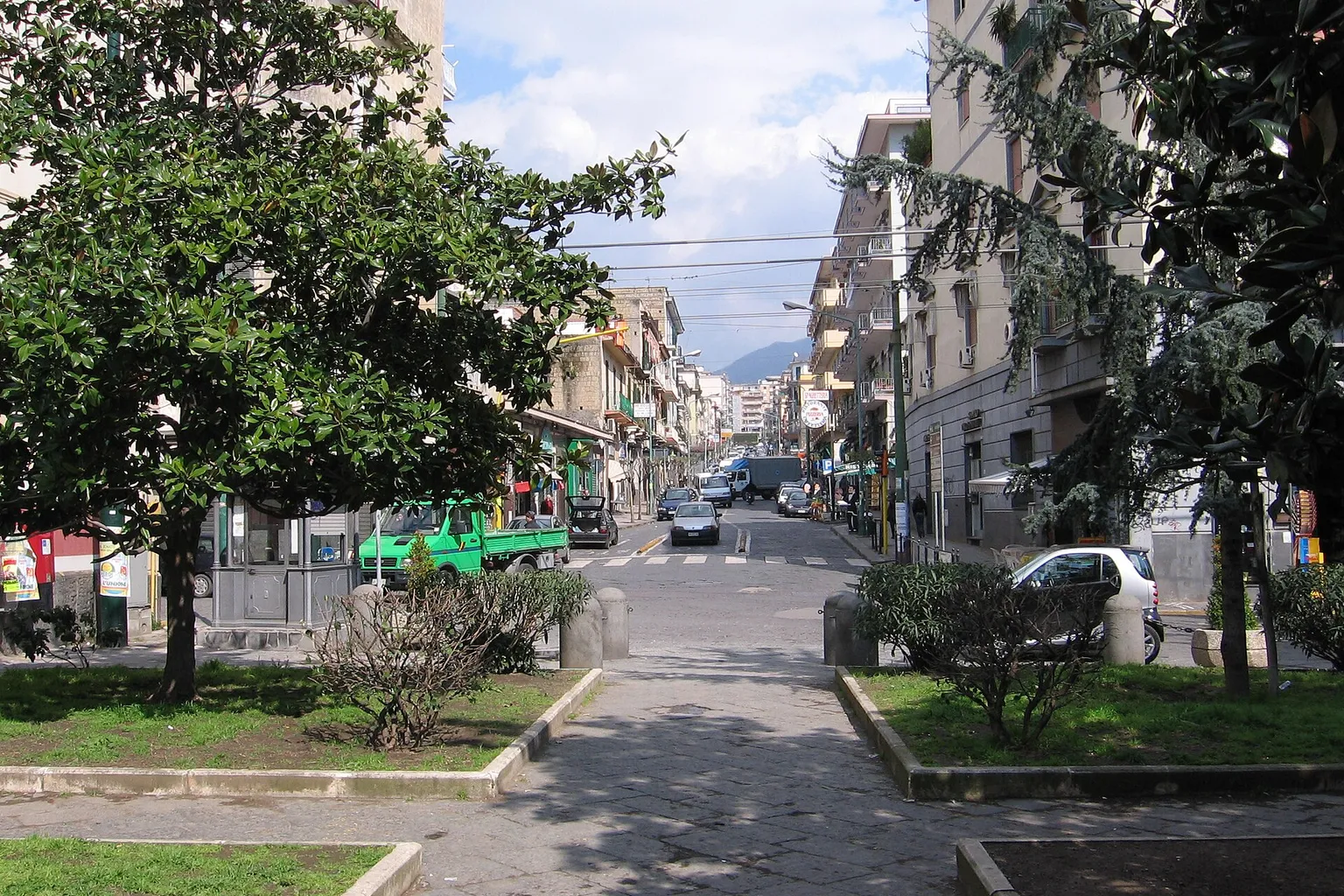
The Archaeological Park of Herculaneum opens at 8:30 AM. In the summer operating season, the last entry is at 6:00 PM and visitors must leave by 7:00 PM. In the winter season, the last entry is at 3:30 PM and the site closes to visitors at 4:40 PM. That difference changes the usable shooting window. It also changes how much friction you can tolerate at the entrance.
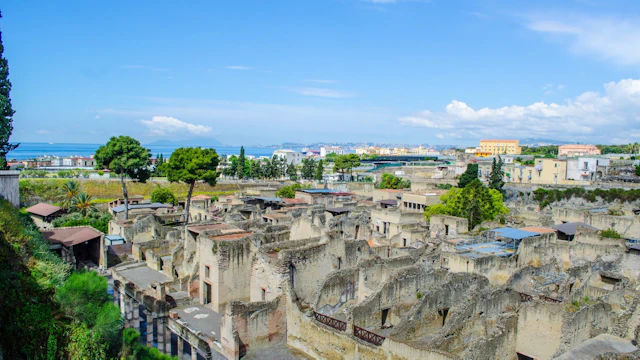
Tickets and prices
- Skip-the-line ticket · 2-hour guided tourfrom€31
- Standard ticketfrom€16
Prices checked on August 16, 2026 · current price on the partner page.
Official website — ercolano.cultura.gov.it
- Time to spend: 2–3 h
- Best time to visit: early morning
Prices are indicative and may change — confirm the price and availability on the partner page.
Partner link — GetYourGuide ticketsIf you need to book tickets for Herculaneum as a video creator, treat the visit as a controlled production route. First secure valid admission. Then confirm the seasonal schedule. Then classify the shoot as private or commercial. Only after that should you choose equipment and timing.
Step 1: Choose the correct Herculaneum ticket route
Tickets for Herculaneum are available through official online channels and at the entrance ticket office. Online booking is the lower-friction option for creators because it lets you arrive with the admission step already completed. The ticket can be displayed at the turnstiles from a smartphone or tablet using the QR code. A printed copy is also accepted.
The online route is useful when:
- You are working to a fixed train schedule from Naples or Sorrento.
- You need to enter during a narrow morning or afternoon window.
- You are carrying a camera and want to avoid adding a ticket-office queue.
- You have scheduled a hotel, tour, or transport booking around the archaeological park.
- You need a clear record of the selected entry date and ticket type.
The gate remains relevant. It is the required route for free-entry days because those tickets cannot be reserved online in advance. They must be collected at the ticket office on the day of the visit.
The distinction matters. A ticket shown on a phone is not the same operational problem as an unreserved free-entry visit. One is a QR-code scan. The other depends on same-day collection and visitor volume.
For current availability and ticket variants, use the booking interface that displays the live inventory rather than relying on an old screenshot, cached price, or third-party summary. Ticket conditions change. The article should not be used as a price table.
What to confirm before payment
The booking screen should be checked against four operational details:
- Date: Make sure the selected date matches your transport and production schedule.
- Ticket category: Reduced admission may depend on eligibility. Do not select a reduced category without the required status or documentation.
- Entry conditions: Confirm whether the product is standard admission, admission with an audio guide, or a guided option.
- Delivery format: Keep the QR code available offline if possible. Mobile signal is not a production plan.
The available visitor products can include standard entry and variants with an audio guide. The choice depends on whether the visit is being used for research, location scouting, or content capture. An audio guide can reduce the need for pre-visit notes. It does not change the filming rules.
Step 2: Book around the real entry times
Herculaneum has two seasonal operating schedules. The visible opening time is not the only number that controls your day. The final admission time is the hard limit.
| Operating season | Opening time | Last entry | Site vacated by |
|---|---|---|---|
| March 16 to October 14 | 8:30 AM | 6:00 PM | 7:00 PM |
| October 15 to March 15 | 8:30 AM | 3:30 PM | 4:40 PM |
This is the first scheduling variable for creators. The second is the amount of usable light inside the excavations. Herculaneum is not a uniformly lit outdoor set. Buildings, covered sections, narrow streets, and interior rooms produce rapid changes in exposure. A visit that begins near the final entry window may leave too little time to solve dynamic range problems.
For a filming schedule, morning entry is usually the safer booking position. It gives you:
- More time to recover from transport delays.
- A larger buffer for equipment checks and bag storage.
- Better tolerance for slow-moving visitor traffic.
- Time to identify which spaces can support the intended shots.
- A second pass through priority locations if the first take fails.
The afternoon entry window is less forgiving. It may work for a short vertical sequence, a location reference shoot, or a pre-planned set of stills. It is weak for a complex production with multiple focal lengths, recorded audio, and repeated takes.
The final entry time is not your shooting deadline. It is the point after which the entire plan has already failed.
Build the route backward from the gate
A practical schedule should be calculated backward:
1. Set the required exit time. Use the official site-vacated time, not the last admission time.
2. Reserve a buffer for the return route. Do not plan the final shot at the exact closing boundary.
3. Mark the priority locations. Identify the rooms, streets, mosaics, facades, or architectural details that support the story.
4. Assign the most technical shots first. Wide-angle interiors and high-contrast views need more setup than simple handheld coverage.
5. Leave secondary shots for the final section. These should be replaceable if access, light, or visitor flow changes.
6. Keep the exit route operationally simple. Retrieve stored bags and clear the site before the final departure pressure.
This is not an aesthetic preference. It is friction control. Every extra equipment change, route reversal, and failed exposure increases the probability of leaving without the core footage.
Step 3: Separate private photography from commercial production
The booking process does not grant unrestricted filming rights.
Handheld photography and video are permitted for private, non-commercial use without flash. That permission is narrow. It should not be interpreted as a blanket approval for monetized videos, branded campaigns, paid location content, or professional production workflows.
Commercial filming requires formal administrative authorization from the Park Administration. The same applies when the production uses professional optical or audio equipment, including specialized cameras, external microphones, and audio mixers. Tripods and drones also require prior authorization.
This is the critical classification:
| Production element | Standard private visit | Prior authorization required |
|---|---|---|
| Handheld photo or video | Permitted for private, non-commercial use | Not applicable |
| Flash | Not permitted under the private-use filming conditions | Do not assume authorization overrides site restrictions |
| Commercial or monetized content | Not covered by standard private-use permission | Yes |
| Specialized camera equipment | Not covered by standard private-use permission | Yes |
| External microphone or audio mixer | Not covered by standard private-use permission | Yes |
| Tripod | Not permitted under the standard private-use conditions | Yes |
| Drone | Not permitted under the standard private-use conditions | Yes |
The administrative process is the unresolved variable. The available information does not establish a universal processing timeline or a fixed official fee schedule for commercial filming permits. Do not build a launch calendar around an assumed turnaround.
What counts as production risk
A creator may think the distinction is limited to whether the video is uploaded publicly. That is too narrow. The practical risk is the whole workflow:
- A brand-sponsored visit.
- A hotel or tourism campaign.
- Paid footage intended for a client.
- A commercial YouTube or social channel.
- A production using cinema cameras, external sound, or support hardware.
- A drone sequence.
- A shoot where the location is being used as a controlled commercial setting.
If the content has a commercial purpose, request authorization before the visit. Do not arrive with a standard admission ticket and attempt to negotiate the distinction at the gate.
The same logic applies to equipment. A small camera body does not automatically make a professional setup private. An external microphone, audio mixer, tripod, or specialized optical system can move the production outside the standard visitor conditions.
A compact handheld setup may reduce operational friction. It does not remove the legal classification of the content.
Step 4: Plan the equipment around the site restrictions
Large bags and bulky backpacks are prohibited inside the excavation site. They must be left in the free cloakroom near the entrance gates.
This restriction affects the shot list. If a creator packs every lens, battery, audio device, and support accessory, the equipment may become a storage problem before it becomes a production asset.
Use a narrow equipment decision:
- One camera body.
- One primary lens selected for the dominant shot type.
- Spare battery and memory card.
- Minimal personal items.
- No tripod unless authorization has been obtained.
- No drone unless authorization has been obtained.
- No external audio package unless authorization has been obtained.
- No flash for private-use coverage.
The choice of focal length should follow the architecture. A wide lens helps establish street geometry and room scale, but it increases edge distortion and can create misleading proportions in narrow spaces. A normal focal length is more controlled for details, wall surfaces, mosaics, and architectural relationships. A longer lens can isolate decorative elements without forcing the camera into crowded circulation paths.
The camera should be configured before entering. Herculaneum is not the place to spend ten minutes deciding between picture profiles while blocking a passage.
Dynamic range is the main exposure problem
The site contains transitions between open light and dark interiors. This creates a dynamic range problem. A camera exposure that protects a bright exterior can push interior detail into noise. An exposure that preserves the room can clip highlights outside the doorway.
Before the visit, set a repeatable exposure method:
- Use a histogram or highlight warning.
- Lock exposure for static architectural shots.
- Avoid aggressive auto-exposure changes during pans.
- Record a short test clip when moving from street-level light into a room.
- Keep white balance controlled when mixing daylight and shadow.
- Check focus at the aperture you intend to use.
- Review the first files before committing to the full route.
The purpose is not to create a cinematic look. It is to preserve usable information. A technically clean frame gives the editor more options. A clipped highlight or unstable focus cannot be recovered with a stronger LUT.
Audio needs separate permission
Creators often treat audio as a minor add-on. At Herculaneum, that can create a compliance problem. External microphones and audio mixers fall outside the standard private-use filming conditions and require formal prior authorization.
If authorization has not been secured, do not assume that a handheld recorder or compact microphone is acceptable because it is small. Size is not the rule. Equipment category and production purpose are the relevant variables.
For private, non-commercial coverage, plan visuals that can function without a professional audio package. Record narration separately in an authorized environment. Build the edit around captions, ambient sound captured within the permitted conditions, or a voiceover recorded away from the site.
Step 5: Use the transport route without adding avoidable friction
Herculaneum is accessible by train through the Circumvesuviana line from Naples or Sorrento to Ercolano Scavi station. From the station, the entrance at Corso Resina is reached by an approximate ten-minute downhill walk.
That route is straightforward. The return route is not identical from a fatigue perspective. The walk back is uphill. This matters when carrying equipment, managing a hard departure time, or coordinating with a client.
Build the transport plan around the entrance, not just the station:
1. Arrive at Ercolano Scavi with the QR code or printed ticket accessible.
2. Walk downhill to the entrance at Corso Resina.
3. Complete the admission scan before unpacking or configuring equipment.
4. Store any large bag or bulky backpack in the free cloakroom.
5. Keep the minimum permitted kit accessible and organized.
6. Finish the route with enough time to retrieve stored items.
7. Walk back to the station without depending on the final possible train connection.
The station-to-entrance walk is short enough to underestimate. That is how creators lose time. A delayed train, a ticket retrieval issue, a cloakroom stop, and a camera reset can consume the margin before the first shot.
Free-entry days change the queue equation
Free admission is available on the first Sunday of every month and on April 25, June 2, and November 4. The same dates create a different booking process. Free tickets cannot be reserved online. They must be collected at the ticket office on the day of the visit.
For a creator, this means free entry is not automatically the efficient option. The admission cost is lower, but the queue exposure can be higher. That trade-off matters when the shoot depends on a fixed number of usable frames or when the visit is connected to paid travel and accommodation.
Use free-entry days when:
- Your schedule is flexible.
- The visit is primarily research or scouting.
- You can tolerate a longer entrance process.
- The production does not depend on an exact shooting window.
- You are not carrying a commercial setup requiring authorization.
Avoid using a free-entry day as the backbone of a tightly timed production unless the queue risk has been accepted and the administrative permissions are already complete.
January 1 and December 25 are annual closure days. Do not build a seasonal content calendar around those dates.
A free ticket removes the admission charge. It does not remove queue friction, equipment restrictions, or permit requirements.
A creator’s booking sequence
The correct order is procedural. Do not reverse it.
1. Define the content purpose
Write down whether the visit is:
- Private, non-commercial photography or video.
- Location research.
- Editorial content.
- Brand content.
- Client work.
- Monetized media production.
If the content has a commercial purpose, begin the authorization process before purchasing a standard admission ticket. Standard entry and filming permission are separate controls.
2. Select the visit date
Check the operating season and the final admission time. Avoid selecting a date based only on the published opening time. The relevant question is how much usable time remains after transport, entry, storage, setup, and route navigation.
3. Choose the ticket channel
Use online booking when you need a confirmed QR code and a predictable entrance sequence. Use the ticket office for same-day options and free-entry days. Check the live ticket conditions at the time of booking.
4. Confirm the ticket format
Save the QR code to the device. Keep a printed copy if the visit is operationally important. Screenshots and offline access reduce dependence on network coverage at the entrance.
5. Audit the equipment
Remove every item that is not clearly permitted under the standard private-use conditions. Do not bring a tripod, drone, external microphone, audio mixer, or professional optical setup unless the required authorization has been obtained.
6. Build the shot list
Prioritize the shots that require the most control:
- Wide architectural frames.
- Interior-to-exterior transitions.
- High-contrast views.
- Details that need a longer focal length.
- Sequences that depend on low visitor density.
- Any shot that cannot be recreated at another location.
7. Reserve a departure buffer
Leave before the site-vacated time. The last entry time is not a grace period for filming. It is an admission boundary.
The booking page is part of the production system
A ticket page is not just a transaction screen. It is the first conversion point in the visitor journey. Every unnecessary step creates friction. For hospitality brands producing content around archaeological destinations, this is also a useful benchmark.
A booking flow should make five facts visible:
- The date options.
- The ticket category.
- The entry conditions.
- The delivery method.
- The cancellation or change terms, where applicable.
If those details are hidden behind multiple screens, the bounce rate will rise. If the visitor cannot tell whether a QR code is accepted, uncertainty increases. If a creator cannot distinguish admission from a filming permit, the booking may complete while the production still fails at the gate.
This is the same principle used in a hotel landing-page heatmap. The click is not the conversion. The usable arrival is the conversion.
For operators and hospitality marketers, Herculaneum is a clear example of why destination content must be technically accurate. A polished reel that omits seasonal entry limits or filming restrictions creates downstream friction. Guests arrive with the wrong expectations. Staff absorb the correction. The content generates attention but weakens trust.
Final technical checklist
Before leaving for Herculaneum, confirm the following:
- The ticket date matches the train and accommodation schedule.
- The selected entry route is online booking or same-day ticket-office collection.
- The QR code is saved on the phone and available without a network connection.
- The operating season has been checked.
- The last entry time has been treated as a hard limit.
- The site-vacated time is in the schedule.
- The visit is classified as private or commercial.
- Commercial filming authorization has been requested or obtained where required.
- Specialized camera, external audio, tripod, and drone use has been cleared in advance.
- Large bags and bulky backpacks are planned for the cloakroom.
- Flash is excluded from private-use coverage.
- The shot list prioritizes high-risk technical frames first.
- The route includes time to retrieve stored equipment.
- Free-entry days are not being mistaken for advance online reservations.
- January 1 and December 25 are excluded from the operating calendar.
Book tickets for Herculaneum only after the production category and equipment plan are clear. Admission gets you to the turnstile. It does not authorize the shoot. The reliable route is simple: secure the correct ticket, schedule against the final entry time, keep the kit within the permitted limits, and obtain administrative approval before commercial production begins.
Practical info
Currency: EUR
Driving: on the right
Emergency number: 112
FAQ
Can I buy Herculaneum tickets online?
What are Herculaneum’s last entry times?
Can I film at Herculaneum without a permit?
Do I need authorization to use a tripod, drone, or external microphone at Herculaneum?
How do free-entry days work at Herculaneum?
Where can I leave a large bag at Herculaneum?
Photo: Shii / CC BY-SA 3.0 — Wikimedia Commons