Hotel email video marketing: three integration paths
Hotel email video marketing often begins with a deceptively simple request: “Can we put the video directly into the newsletter?”…
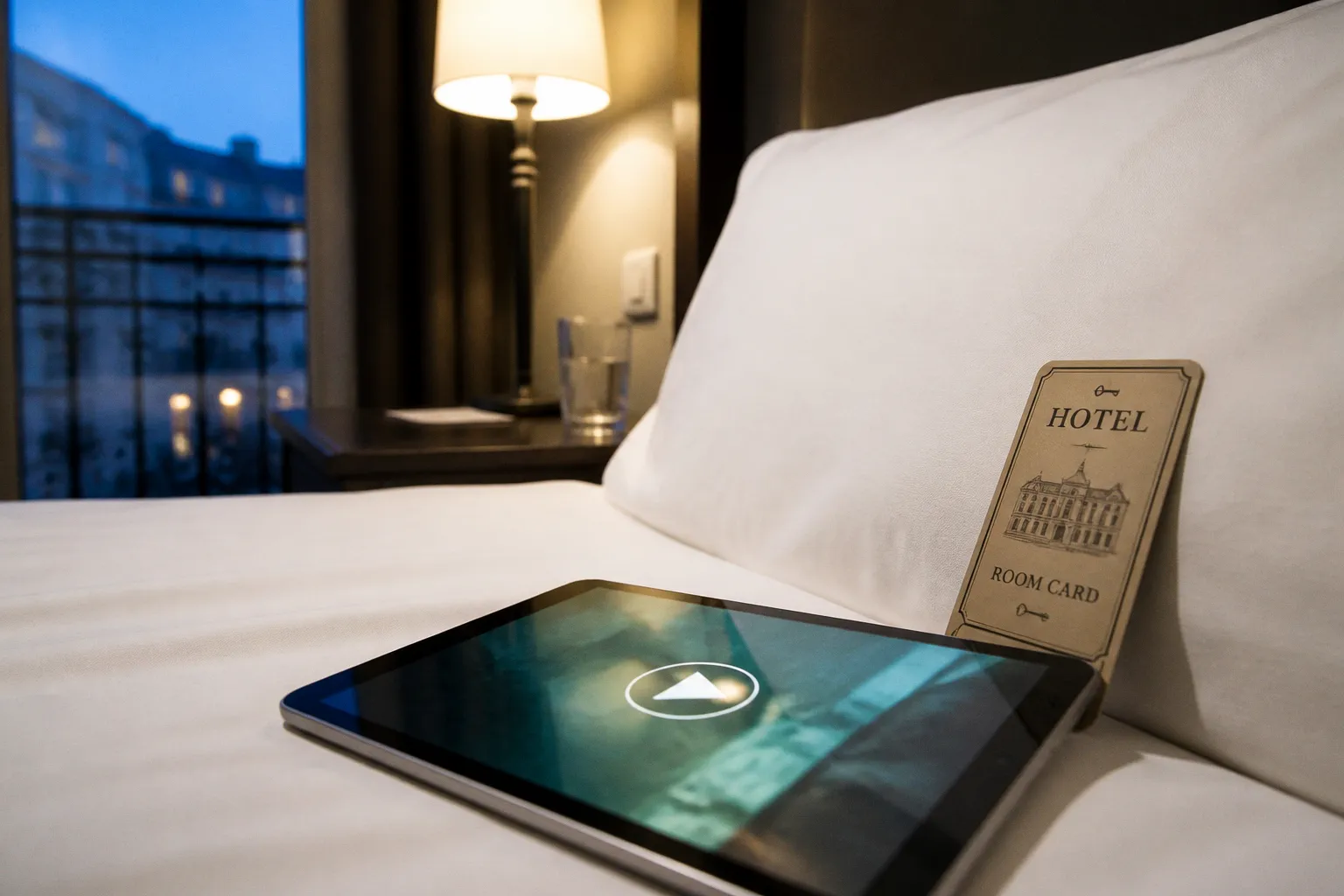
In a planning meeting, it sounds like the obvious next step. A hotel has a beautiful property film, a new suite walkthrough, or a guest testimonial that already performs well on social media. The team wants that same visual narrative to play inside the inbox, where returning guests and high-intent subscribers are already making decisions about their next stay.
Compare car rental deals in United Kingdom
See available offersPartner link — DiscoverCars comparisonThe difficulty is that email is not a miniature version of a website. The major inboxes do not agree on how video should work—or whether it should work at all. Gmail, Outlook, and Apple Mail are not reliable environments for native HTML5 playback, and Apple Mail deprecated native video embedding in its 2025 updates. In 2026, Samsung Mail and Thunderbird are among the few clients that reliably support it.
That leaves hotel marketers with three practical integration paths: a clickable static thumbnail, an animated GIF or WebP preview, and native HTML5 video. They are not equal choices. Each creates a different balance between visual impact, deliverability, loading speed, accessibility, and the number of guests who will actually reach the booking journey.
In hotel newsletters, the best video is rarely the one that plays inside the email. It is the one that earns the click without damaging the guest journey.
The reality of native video embedding in hospitality email
Native video sounds like the most sophisticated option because it resembles the experience on a hotel website: the guest opens the message, presses play, and watches without leaving the inbox.
That experience can work in a controlled environment. It can also be useful when a database is heavily concentrated in a specific email client that supports HTML5 playback. But hotel audiences are rarely that tidy. They book from phones, work laptops, shared family devices, and a wide range of email applications. The same campaign may render beautifully for one segment and show a blank space, fallback image, or unhelpful download prompt for another.
This is the central distinction between a technically possible email and a commercially dependable one.
Native HTML5 video requires more than a video file. The email client must support the relevant HTML, the recipient’s device must handle the media correctly, the message must load within a reasonable time, and the fallback experience must still make sense when playback is unavailable. If any one of those conditions fails, the creative concept has to carry its own safety net.
For hotel email marketing, that safety net should not be an afterthought. The fallback image is what a large proportion of your audience will see. It needs the same care as the opening frame of the video: a room with a clear sense of place, a pool that communicates season and atmosphere, or a guest moment that feels emotionally specific rather than generically luxurious.
The numbers make the trade-off quite clear:
| Integration path | What the guest sees | Main advantage | Main constraint | Best use |
|---|---|---|---|---|
| Clickable static thumbnail | A still image with a play button linked to a video page | Strong deliverability and broad client support | Requires a click before playback | Core hotel newsletter campaigns and booking-led emails |
| Animated GIF or WebP preview | A short moving sequence inside the message | Creates motion without relying on native playback | File weight, limited duration, and inconsistent WebP support | Teasers, seasonal offers, room details, and brand moments |
| Native HTML5 video | A video player embedded in the email | Closest to an in-inbox viewing experience | Limited support across major clients and heavier loading | Carefully tested segments with a robust fallback |
The temptation is to judge these formats by visual ambition. I judge them by what happens after the first impression. Does the guest understand the offer? Does the call to action remain visible? Does the message load on a mobile connection? Does the click lead to a page where the video and booking information are aligned?
A beautiful email that creates friction is still a weak piece of hospitality marketing.
Path One: clickable static thumbnails for maximum deliverability
The static thumbnail is the workhorse of video in hotel emails—and that is not a criticism. In my consulting work, it is often the format that produces the cleanest path from inspiration to action.
The structure is simple: a carefully chosen still image, a play button overlay, and a link to a video landing page, booking page, or hosted player. The image is not pretending to be an embedded player. It is making a clear promise: there is more to see, and the next step is one click away.
This format works because it respects the limitations of the inbox. It can render across the major clients, it does not depend on native playback, and it gives the hotel control over the page that opens next. That final point matters more than it first appears.
A video click should not send a guest into a disconnected content experience. If the email promotes a winter escape, the landing page should show the same room, dates, package terms, and visual atmosphere. If the email introduces a new spa treatment, the page should not make the guest hunt through the main navigation to find availability. The visual narrative needs to continue rather than reset.
Choosing the thumbnail
A thumbnail is not merely a poster for a video. It is the first frame of the guest journey.
I look for three qualities:
- A recognisable sense of place. The image should tell the recipient whether this is a coastal resort, an urban design hotel, a countryside inn, or a wellness retreat before they read every word.
- A human point of connection. A guest arriving at a terrace, hands setting a breakfast table, or a couple looking toward a view can communicate the experience more effectively than an empty room.
- A clear reason to continue. The image and surrounding copy should answer, even briefly, why the recipient should spend the next 30 seconds watching.
The play icon should be visible without overwhelming the image. A large, high-contrast button usually performs better than a subtle luxury treatment that disappears on a mobile screen. This is one of those moments when brand restraint can become brand confusion. If the guest cannot tell that the image is clickable, the visual refinement has worked against the booking objective.
The strongest thumbnail campaigns I have worked on usually place the call to action twice: once through the linked image and once as a visible text button below it. Some recipients click the image instinctively; others look for “Watch the film,” “Explore the suite,” or “See the weekend package.” Both behaviours are valid, and the email should accommodate them without clutter.
Where the click should lead
There are three sensible destinations:
1. A dedicated video landing page for brand films, destination stories, and high-consideration stays. This gives the film room to breathe while keeping availability and booking links close.
2. A booking or offer page when the video supports a specific commercial message, such as a seasonal package or limited-time rate.
3. A social or video platform page when reach and engagement are the primary objectives, although this introduces more distractions and can weaken the direct route to booking.
For a hotel newsletter, I generally favour a dedicated page on the hotel’s own domain. It allows the property to preserve context—the typography, photography, room information, local recommendations, and booking engine all remain part of the same world. That consistency is especially valuable for independent hotels and B&Bs, where every touchpoint helps establish trust.
The performance case for thumbnails is also strong. Emails featuring video thumbnails achieve an average click-through rate of 10.3%, compared with 6.1% for emails using static images. Those figures should not be treated as a promise for every campaign—audience quality, offer relevance, send time, and segmentation still shape the result—but they show why a linked visual can outperform an ordinary decorative image.
The thumbnail is not “less than video.” It is often the most reliable bridge between video content and measurable intent.
Path Two: animated GIFs and WebP previews for visual engagement
Animated GIFs and WebP previews sit between a still image and a full video player. They introduce movement directly into the email, which can be useful when the first few seconds communicate more than a single frame.
A slow pan across a sea view, steam rising from a treatment room, a close-up of breakfast being plated, or a curtain opening onto a city skyline can create a feeling of arrival before the guest has clicked anywhere. For hotel brands, that sense of texture is valuable. Hospitality is experienced through transitions—the door opening, the first drink, the turn toward the view—and a short animated preview can capture that rhythm.
The format has limits, however. A GIF is not a substitute for a two-minute property film. It has no sound, limited visual fidelity, and a file size that can become uncomfortable very quickly. The more frames, colours, and detail it contains, the heavier the asset becomes. On a mobile connection, that weight affects both load time and the guest’s patience.
For mobile deliverability and reasonable loading performance, I keep animated GIFs under 500KB whenever possible. One megabyte should be treated as a hard ceiling, not a target. The difference between a 400KB preview and a 1.8MB “small animation” is felt most clearly by guests reading mail on a train, near the edge of a resort network, or between meetings.
WebP can offer better compression and image quality, but support is not perfectly uniform across email clients. It should be tested against the actual subscriber mix rather than adopted simply because it is technically newer. A fallback still image remains essential.
What makes a good email animation?
The best animations are short, legible, and built around one sensory idea. They do not attempt to summarise the entire hotel.
Good candidates include:
- A five- to eight-second movement from the room interior toward the view.
- A close-up sequence showing the texture of a signature breakfast or cocktail.
- A pool, beach, or garden moment that communicates the season immediately.
- A staff detail—folding a robe, lighting a fire, preparing a welcome tray—that makes service feel personal.
- A short before-and-after transition for a renovation or newly opened space.
The opening frame deserves special attention because some clients may display only that frame, and some guests may see it before the animation has loaded. It should work as a complete image rather than looking like an accidental pause halfway through a movement.
The animation should also loop cleanly. An abrupt cut from the final frame back to the first can make a sophisticated property feel strangely mechanical. A gentle dissolve or a movement designed to return naturally to its starting position creates a more polished experience.
There is another practical detail that is easy to miss: the animation must not carry the entire meaning of the message. If the offer, date, or call to action exists only inside moving frames, some guests will miss it entirely. Keep the commercial information in live HTML text, where it can be read by screen readers, indexed by the email client, and understood even when images are blocked.
GIF versus WebP
The choice is less about declaring a universal winner and more about understanding the audience and the message.
| Consideration | Animated GIF | Animated WebP |
|---|---|---|
| Compatibility | Broad and familiar across email environments | More variable; requires careful client testing |
| File efficiency | Can become heavy quickly | Often offers better compression |
| Visual quality | Limited colour palette and resolution efficiency | Usually sharper at a comparable size |
| Fallback needs | Still image remains useful | Still image is essential for unsupported clients |
| Best role | Reliable motion teaser for broad audiences | More efficient preview where the database supports it |
I tend to choose GIF when the campaign needs the safest possible reach and the visual idea can remain simple. I choose WebP when testing confirms that the audience can see it and the reduction in file weight improves the experience meaningfully.
Neither should be used just to make a newsletter feel more dynamic. Movement needs a job. If it does not strengthen the sense of place, clarify the offer, or create a reason to click, it is only adding weight.
Motion earns its place in a hotel email when it reveals an experience—not when it merely proves that the design team knows how to animate an image.
Path Three: native HTML5 video—and where it genuinely belongs
Native HTML5 video is the most fragile of the three integration paths, but it is not entirely irrelevant.
In a tightly defined audience, it can offer a more immersive experience. A hotel group with a known subscriber base, a campaign aimed at a tested device segment, or an internal preview sent to a specific technical audience may have a reason to use it. The key is to treat native playback as an enhancement layered onto a dependable fallback—not as the campaign’s only experience.
In 2026, only Samsung Mail and Thunderbird reliably support native HTML5 video playback in email. Major clients such as Gmail, Outlook, and Apple Mail do not provide a dependable environment for it. Apple Mail’s 2025 updates removed the last major source of confidence for marketers who had been relying on native embedding.
That makes broad hotel newsletter deployment a poor fit. A campaign sent to a mixed audience cannot assume the player will appear, much less behave consistently. Some recipients will see the fallback image. Others may encounter a broken or incomplete component. The message must be designed so that the fallback is not a consolation prize.
If a hotel does test native playback, the video file should stay below 10MB to avoid extended load times. That limit is already generous for an email environment, and compression should be approached with the same discipline used for a booking page. A large file can turn an elegant campaign into a slow, expensive download—particularly for international guests or travellers using cellular data.
The test plan should include:
- Gmail on mobile and desktop.
- Outlook across the versions used by the hotel’s database.
- Apple Mail on current desktop and mobile systems.
- Samsung Mail and Thunderbird if native support is part of the strategy.
- Images disabled.
- A slower mobile connection.
- Screen readers or accessibility checks.
- The complete click path from email to video page and booking engine.
Do not test only the marketing team’s devices. Hotel teams often review campaigns in Apple Mail because it looks polished and is convenient for internal approval, while the audience may contain a much larger Gmail or Outlook segment. The rendering environment is part of the commercial decision.
Native video also raises a question of attention. Even when playback works, the recipient may be reading in a crowded inbox, in a meeting, or on a phone with limited screen space. A player does not automatically create engagement. It still needs a compelling first frame, concise surrounding copy, captions or accessible alternatives, and a reason to watch now.
For most properties, I would use native HTML5 video only for a controlled experiment or a very specific segment. I would not build a hotel-wide booking campaign around it.
The content decision: which hotel video deserves the inbox?
The integration path determines how the video appears. The content itself determines whether anyone cares.
One of the most common mistakes in hotel email video marketing is treating every piece of footage as equally suitable for every stage of the guest journey. A brand film may be ideal for someone discovering the property. It may be too broad for a past guest who needs a reason to return in October. A room walkthrough may be excellent for a high-intent subscriber comparing accommodation, but unnecessary for a loyalty segment that already knows the suite.
The format and message need alignment.
| Video type | Suitable length | Typical engagement range | Strongest email role |
|---|---|---|---|
| Guest testimonial | 30–60 seconds | 6–12% | Building trust before a first booking |
| Behind-the-scenes content | 15–30 seconds | 8–15% | Humanising the team and strengthening loyalty |
| Drone or aerial footage | 1–3 minutes | 5–9% | Establishing destination and sense of place |
| Room experience walkthrough | 2–4 minutes | 5–10% | Supporting high-intent room or suite decisions |
These ranges are useful as directional benchmarks, not guarantees. A 20-second behind-the-scenes clip will not rescue an irrelevant offer, and a beautifully produced testimonial may underperform if it is sent to people who have already stayed several times.
I usually map the video to a specific point in the guest journey:
Discovery
At the discovery stage, the guest may not yet know the property well enough to care about room categories or cancellation terms. The email needs to establish context. A short destination sequence, guest testimonial, or carefully edited brand film can make the hotel memorable.
The call to action might be “Explore the coast,” “See the hotel,” or “Plan your escape,” rather than an immediate “Book now.” That does not make the message less commercial. It recognises that booking intent is built through several aligned moments.
Consideration
Here, the guest is comparing options. Specificity becomes more persuasive than spectacle. A room walkthrough should show circulation, storage, bathroom layout, natural light, and the view—not only a slow sweep across cushions.
The visual narrative should answer practical questions while preserving atmosphere. In one project, we replaced a polished suite film with a quieter sequence showing the room at three times of day: morning light at the desk, late afternoon on the balcony, and the evening turn-down. The footage was less dramatic, but it gave prospective guests a stronger sense of how the room would fit into their stay.
Conversion
At the conversion stage, video should reduce hesitation. A testimonial can address service and reliability. A short package preview can clarify what is included. A spa or dining clip can support an add-on that makes the booking feel more complete.
The landing page should make the next step obvious. Do not send a guest from an email about a three-night package to a generic home page and expect the visual momentum to survive.
Retention and return visits
For previous guests, the strongest content may be a detail they missed: a new chef’s menu, a renovated garden, a local walk, or a familiar staff member preparing for the season. This is where behind-the-scenes footage performs particularly well. It creates continuity and reminds the recipient that the hotel is a living place, not a static collection of rooms.
Technical constraints that shape performance
The creative concept should be developed alongside the technical reality, not handed over to the email developer at the end.
The average hospitality email open rate is around 25%, while the average click-through rate for one-time campaigns is about 2.37%. Automated campaigns can reach considerably higher click-through rates, up to 15.17% in the supplied benchmark data. That gap tells us something useful: relevance and timing often matter more than visual novelty.
A video thumbnail in a poorly segmented campaign is still poorly segmented. A moving preview sent to a guest who has just completed a booking may be less useful than a simple pre-arrival message with transport information and a room upgrade prompt.
The email audience also has a strong device pattern. Apple Mail accounts for approximately 58% of opens, Gmail for 26%, and Outlook for 6.49% in the available benchmark data. Since Apple Mail no longer offers dependable native video embedding, the practical case for thumbnail-led campaigns becomes even stronger.
Keep the message light
Every additional asset adds weight. Compress the video or animation, but do not sacrifice the image so heavily that the hotel looks dull or untrustworthy. A grainy thumbnail communicates poor care, especially for a design-led property where materials, lighting, and texture are part of the brand promise.
Use responsive image dimensions, descriptive alt text, and live text for every essential message. The guest should understand the offer if images fail to load. The video is an invitation, not the only carrier of meaning.
For animated assets:
- Aim for less than 500KB.
- Treat 1MB as the absolute ceiling.
- Keep the motion focused on one idea.
- Make the first frame work as a standalone image.
- Test the animation on mobile before approving desktop layouts.
For native video:
- Keep the file below 10MB.
- Provide a fallback image that carries the same visual and commercial meaning.
- Test the player across the actual subscriber mix.
- Never assume Apple Mail, Gmail, or Outlook will play the file.
- Track fallback clicks separately where the email platform allows it.
Measure the journey, not only the click
A video thumbnail may produce a strong click-through rate and still fail to create bookings if the landing page is slow, unclear, or disconnected from the message. Conversely, a modest click rate may be commercially valuable if it brings high-intent guests to a well-matched offer.
For each campaign, I want to see:
- Opens by device and email client.
- Clicks on the thumbnail versus the text call to action.
- Video plays and completion rates on the landing page.
- Booking-engine visits from the video journey.
- Enquiries, package selections, or room-detail interactions.
- Revenue or assisted booking behaviour where attribution is available.
The average hotel email conversion rate is around 2%, so the role of video should be judged realistically. It can attract attention, establish trust, and move a guest into consideration. It does not guarantee a booking, and the exact share of bookings directly attributable to video emails remains difficult to isolate across the full hospitality funnel.
I prefer to compare campaigns against their own baseline: the same audience, similar offer, comparable send window, and one clear creative difference. If a static-image campaign becomes a thumbnail-led campaign, the test should not also introduce a new discount, a new subject line strategy, and a completely different landing page. Otherwise, the team learns that something changed—not what worked.
A practical route for hotels choosing among the three paths
For most hotels, the decision is less complicated than the technology makes it seem.
Choose a clickable static thumbnail when broad compatibility, deliverability, and a clean route to booking matter most. This should be the default for most newsletters, automated campaigns, and promotional sends.
Choose an animated GIF or WebP preview when a brief movement adds genuine sensory information—steam, light, water, arrival, preparation, or a change in perspective. Keep the file light and make sure the first frame still tells the story.
Choose native HTML5 video only when you have a controlled audience, a clear testing process, and a fallback that is strong enough to carry the campaign on its own. It is an experiment or a specialised enhancement, not a universal solution.
Then match the content to the guest journey. A testimonial earns trust. A behind-the-scenes clip creates connection. Aerial footage establishes the destination. A room walkthrough supports a decision that is already becoming practical and specific.
The hotel that first came to me with a native-video brief did not ultimately need a technically impressive player. Its audience was mixed, its email list was heavily mobile, and its booking page was not ready to receive traffic from a brand film. We shifted the campaign to a strong static thumbnail, shortened the video introduction, added a clear room-and-rate pathway, and used a lightweight animation in a separate loyalty email. The result was not as flashy in the inbox. It was far more coherent across the full guest journey.
That is the real measure of hotel email video marketing formats: not how much movement can be placed inside a message, but how naturally the message leads a guest from recognition to desire, from desire to confidence, and from confidence to a stay.
A hotel email does not need to behave like a website. It needs to do its own job well. Use the inbox to create the right invitation, use the landing page to deepen the visual narrative, and let the booking experience complete the alignment.